114
6-1. Phone operation (Hands-free system for cellular phones)
COROLLA_HV(TMUK)_OEM_MM_(EE)
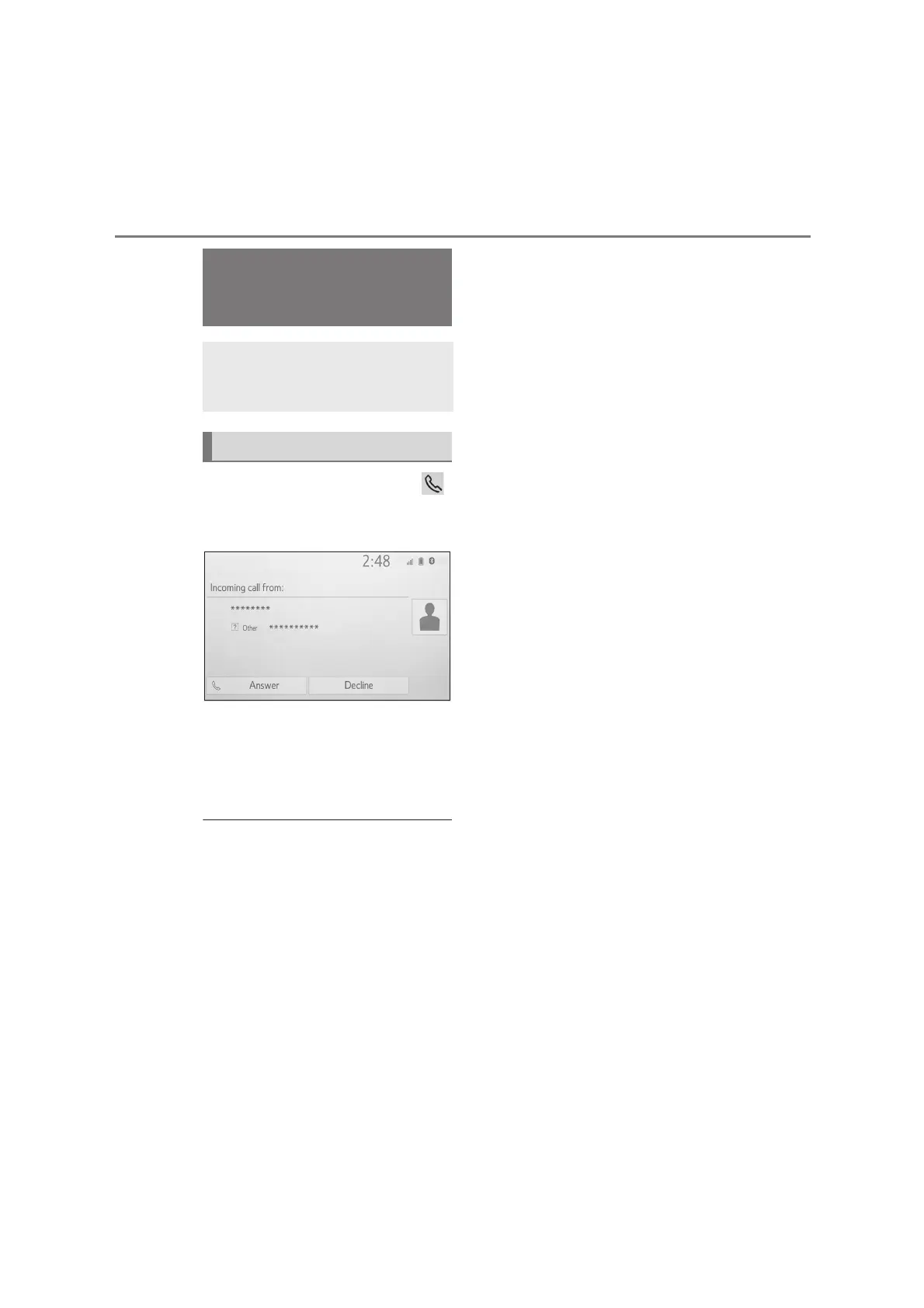
1 Select “Answer” or press the
switch on the steering wheel to
talk on the phone.
“Decline”: Select to refuse to receive
the call.
To adjust the volume of a received call:
Turn the “POWER VOLUME” knob, or
use the volume control switch on the
steering wheel.
●
During international phone calls, the
other party’s name or number may not
be displayed correctly depending on
the type of Bluetooth
®
phone you
have.
●
The incoming call display mode can
be set. (P.123)
●
The ringtone that has been set in the
sound settings screen can be heard
when there is an incoming call.
Depending on the type of Bluetooth
®
phone, both the system and
Bluetooth
®
phone may ring simultane-
ously when there is an incoming call.
(P.122)
Receiving a call using
the Bluetooth
®
hands-free system
When a call is received, the fol-
lowing screen is displayed
with a sound.
Incoming calls


 To Next Page