52
2-4. Other settings
COROLLA_HV(TMUK)_OEM_MM_(EE)
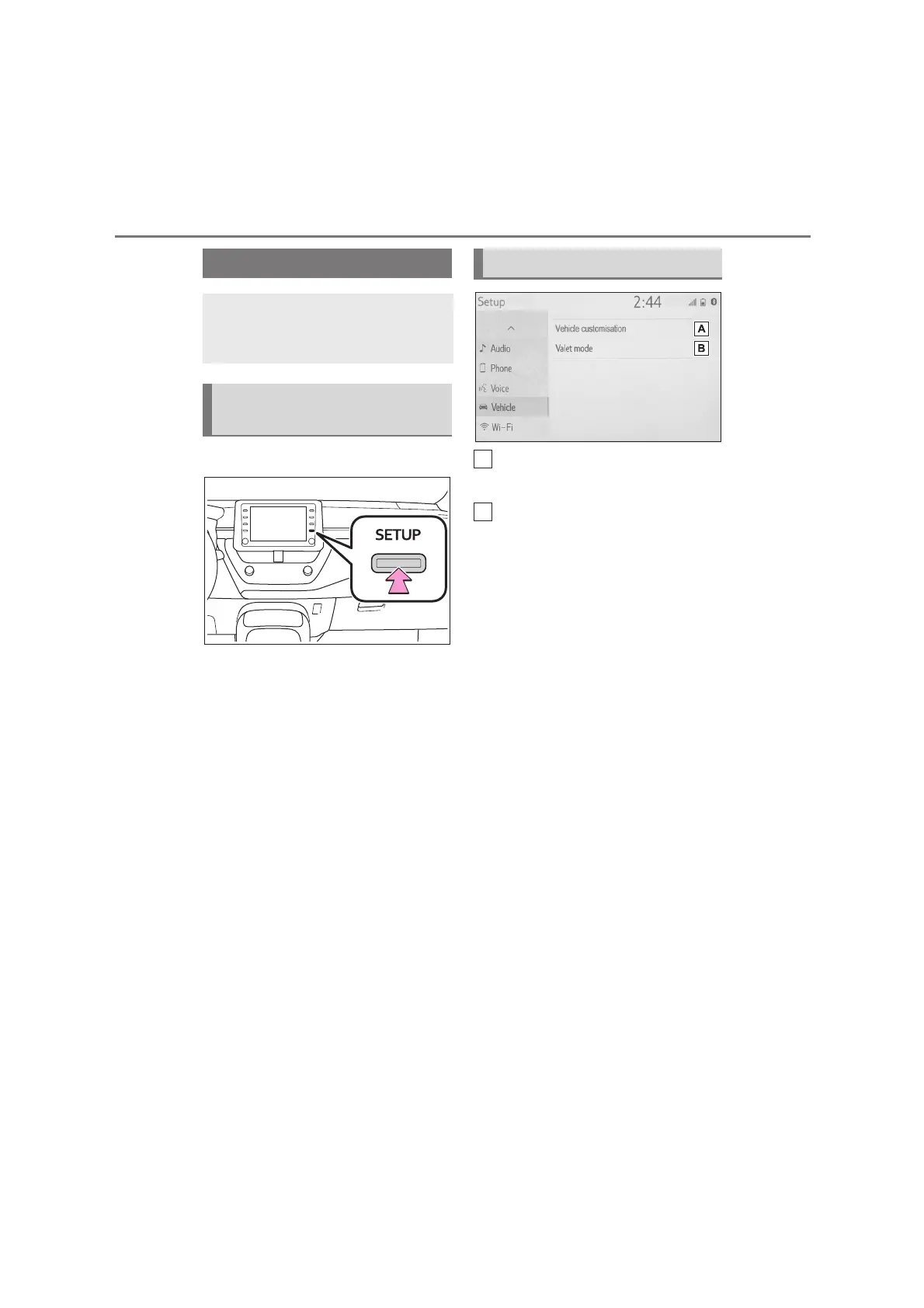
1 Press the “SETUP” button.
2 Select “Vehicle”.
3 Select the desired items to be
set.
Select to set vehicle
customization.
*
Select to set valet mode.
(P. 53)
*
: Refer to the “Owner’s Manual”.
Vehicle settings
Settings are available for vehi-
cle customization and valet
mode.
Displaying the vehicle set-
tings screen
Vehicle settings screen


 To Next Page