39
2
2-2. Connectivity settings
Basic function
COROLLA_HV(TMUK)_OEM_MM_(EE)
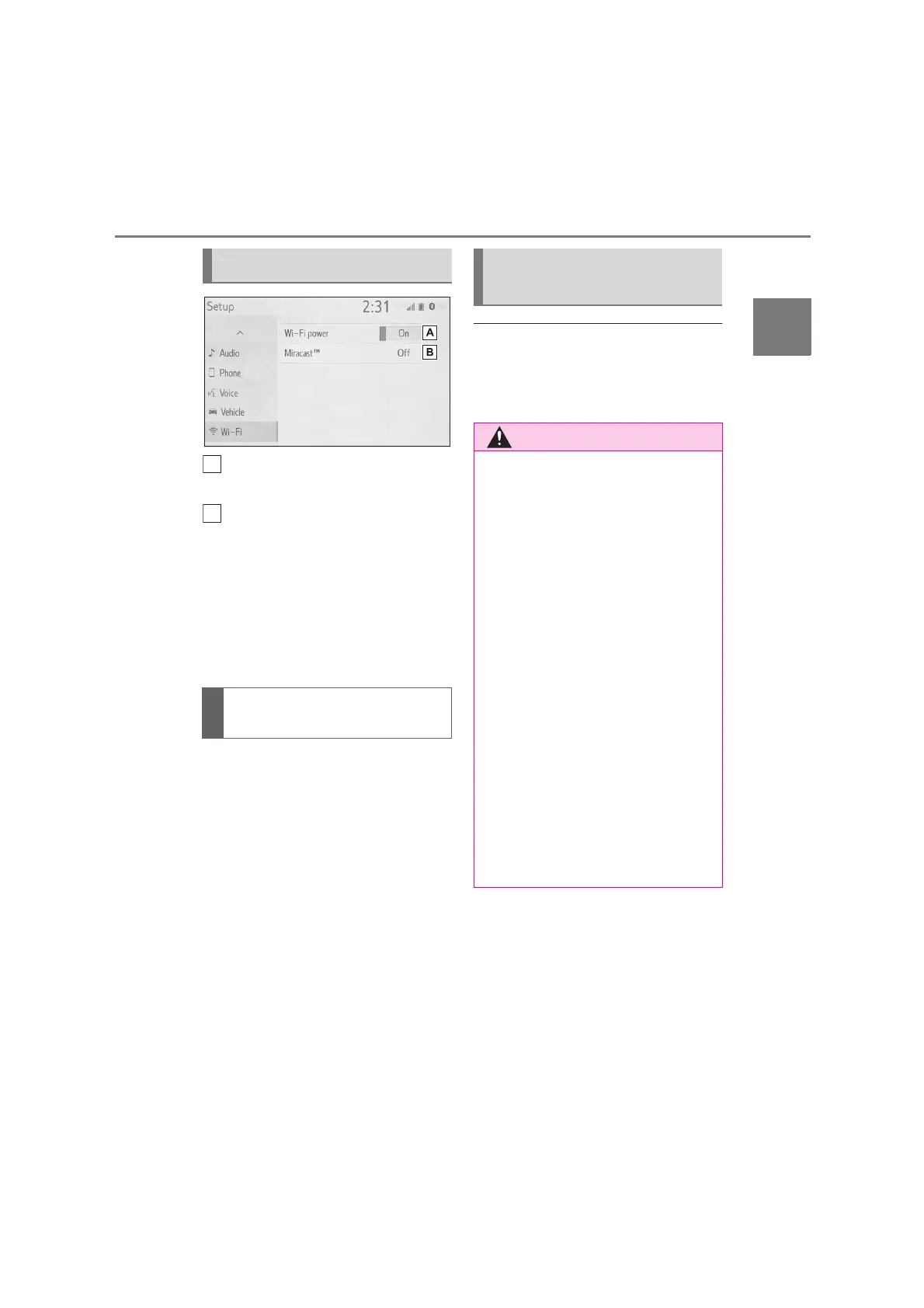
Select to turn the Wi-Fi
®
func-
tion on/off. (P. 3 9)
Displays status of the Miracast
®
connection.
“On”: Connecting
“Off”: Not connecting
Miracast
®
status should be dis-
played only for Miracast
®
sup-
ported models.
1 Display the Wi-Fi
®
settings
screen. (P. 39)
2 Select “Wi-Fi
*
power”.
Each time it is selected, the
“Wi-Fi
*
power” is turned on/off.
*
:Wi-Fi
®
is a registered trademark of
Wi-Fi Alliance
®
.
●
If the vehicle is near a radio antenna,
radio station or other source of strong
radio waves and electrical noise, com-
munication may be slow or impossi-
ble.
Wi-Fi
®
settings screen
Turning Wi-Fi
®
function
on/off
Wi-Fi
®
function operating
hints
●
Use Wi-Fi
®
devices only when safe
and legal to do so.
●
Your audio unit is fitted with Wi-Fi
®
antennas. People with implantable
cardiac pacemakers, cardiac
resynchronization therapy-pace-
makers or implantable cardioverter
defibrillators should maintain a rea-
sonable distance between them-
selves and the Wi-Fi
®
antennas.
The radio waves may affect the
operation of such devices.
●
Before using Wi-Fi
®
devices, users
of any electrical medical device
other than implantable cardiac
pacemakers, cardiac
resynchronization therapy-pace-
makers or implantable cardioverter
defibrillators should consult the
manufacturer of the device for infor-
mation about its operation under
the influence of radio waves. Radio
waves could have unexpected
effects on the operation of such
medical devices.


 To Next Page