Back to top
32
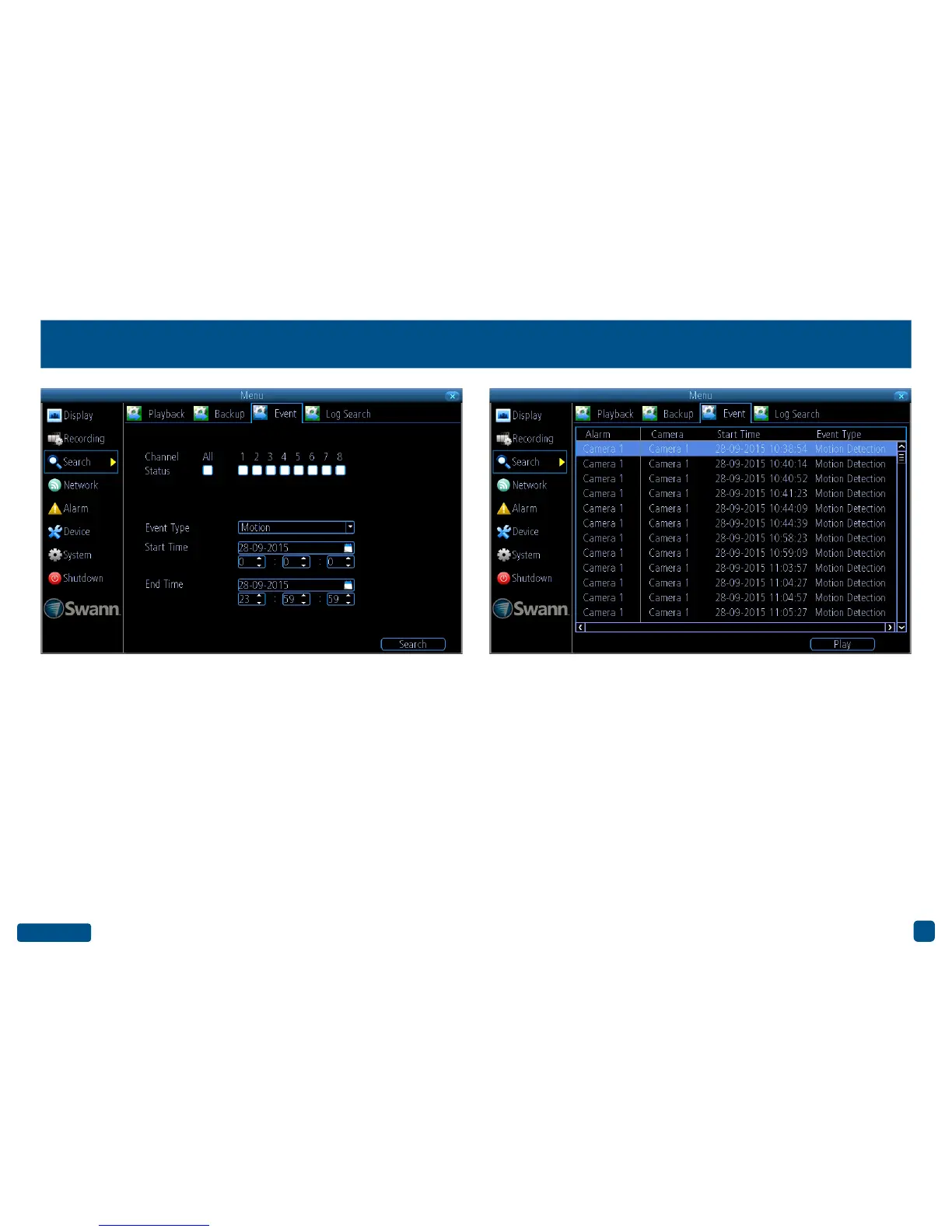
Search: Event
Channel Status: Select from one or more cameras or click “All” to se-
lect all cameras.
Event Type: As Motion is the sole event type, this cannot be changed.
Start Time: Select your start date and time.
End Time: Select your end date and time.
1. Click “Search” to display a list of videos matching your search criteria.
2. Select a video then click “Play”. You have the choice of selecting one
or more cameras for synchronous playback (up to 4 channels can be
selected for playback at any one time).
3. Click “OK” to play or click “Cancel” to exit.
• Right-click the mouse to exit the Menu.


 To Next Page