Back to top
39
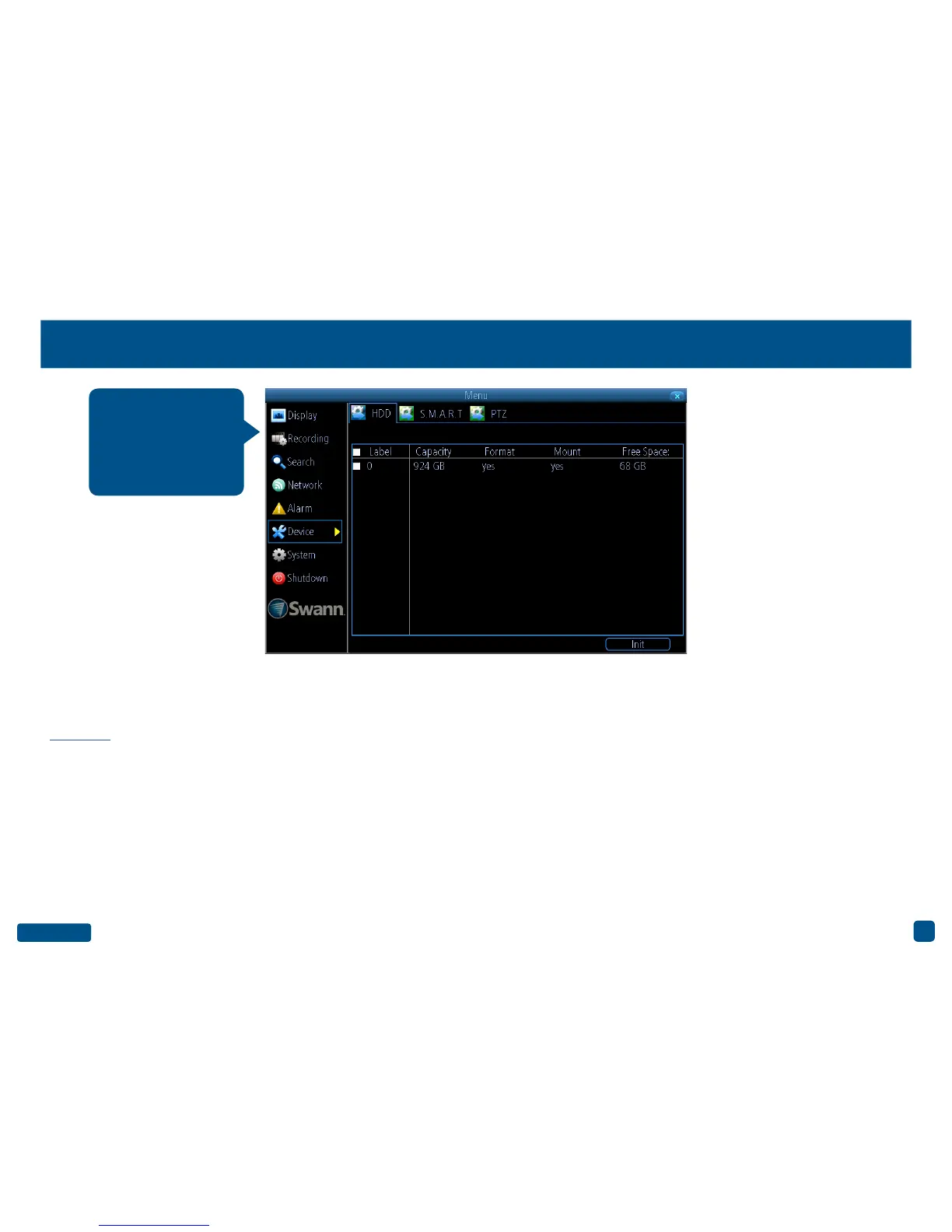
Device: HDD
Init: Click the checkbox next to the hard drive that you want to format
then click this button. Formatting the hard drive will remove all infor-
mation that is stored on it. Use the Backup function before formatting
- Click here for more information.
• Right-click the mouse to exit the Menu.
Note: That as per standard industry practice the usable size of the HDD
will be somewhat smaller than the manufacturer’s model size. As per
the above screenshot, a 1TB HDD shows around 924GB of usable space.
This function gives you
the option of format-
ting your DVR’s hard
drive, and it will be list-
ed here for selection.


 To Next Page