Back to top
38
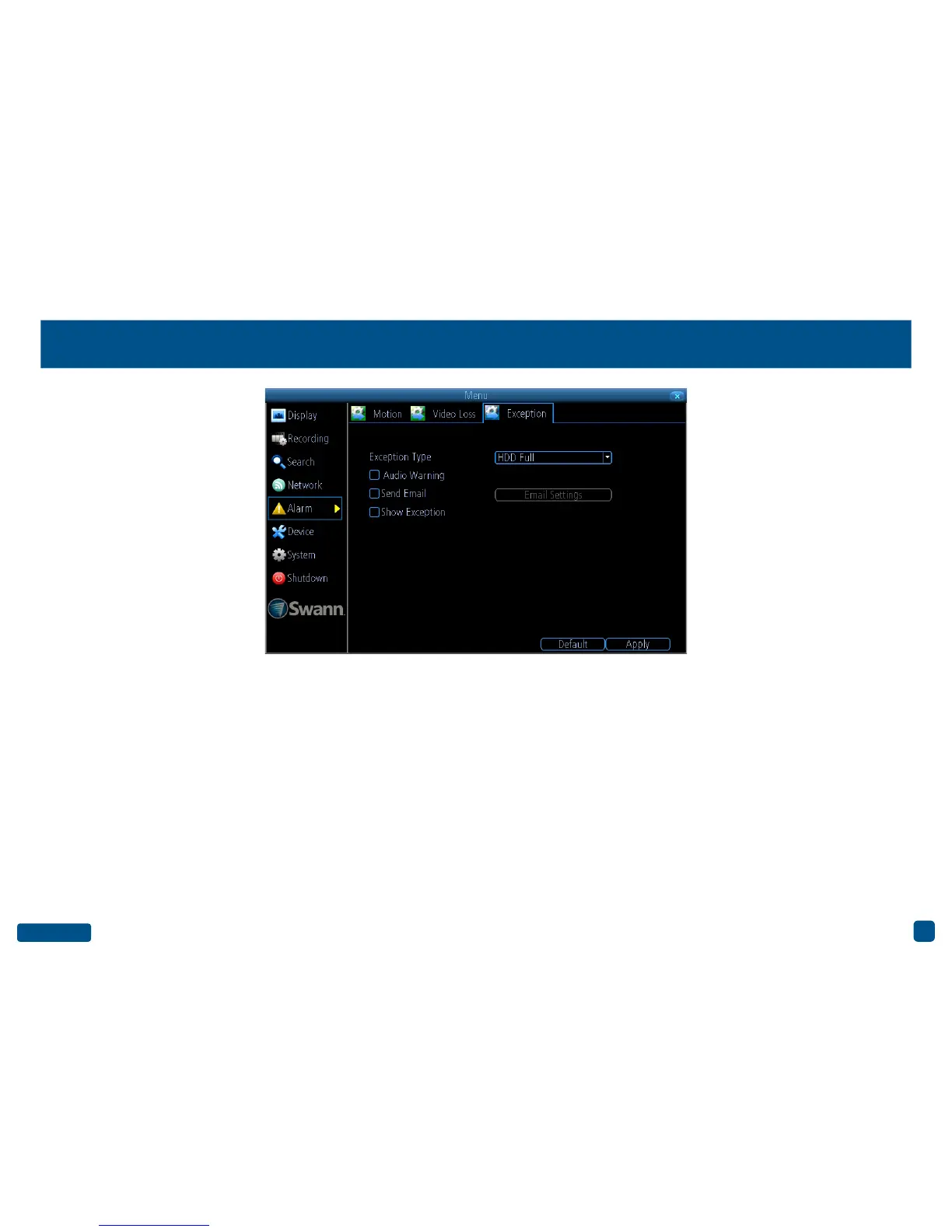
Alarm: Exception
Exception Type: Select the type of exception that you would like to ena-
ble for notification.
Audio Warning: Click the checkbox to enable your DVR’s internal buzzer.
Send Email: Click the checkbox to send an email notification. Click
“Email Settings” if any changes are required to your email account.
Show Exception: Click the checkbox to display a message on-screen.
• Click the “Default” button to revert back to default settings.
• Don’t forget to click “Apply” to save settings.
• Right-click the mouse to exit the Menu.


 To Next Page