Back to top
44
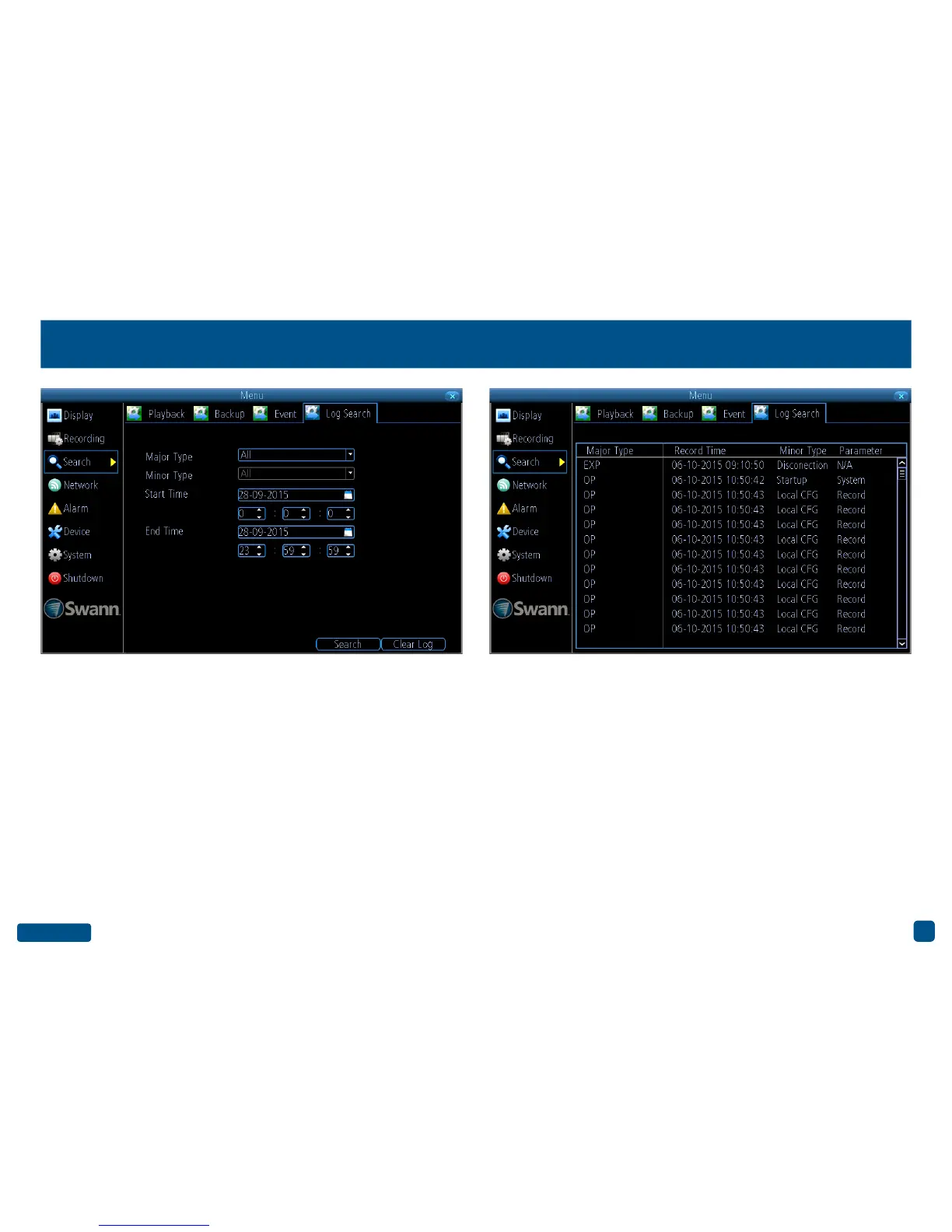
Search: Log Search
Major Type: Select the Major Type that you want to search for. The op-
tions are “All”, “Manual”, “Schedule” and “Motion”.
Minor Type: Depending on the Major Type selected, you have various
options to choose from.
Start Time: Select your start date and time.
End Time: Select your end date and time.
Search: Click this to commence the search. The logs matching your
search criteria will be displayed (see above right example).
Clear Log: Click this to clear the system logs.
• Right-click the mouse to exit the Menu.


 To Next Page