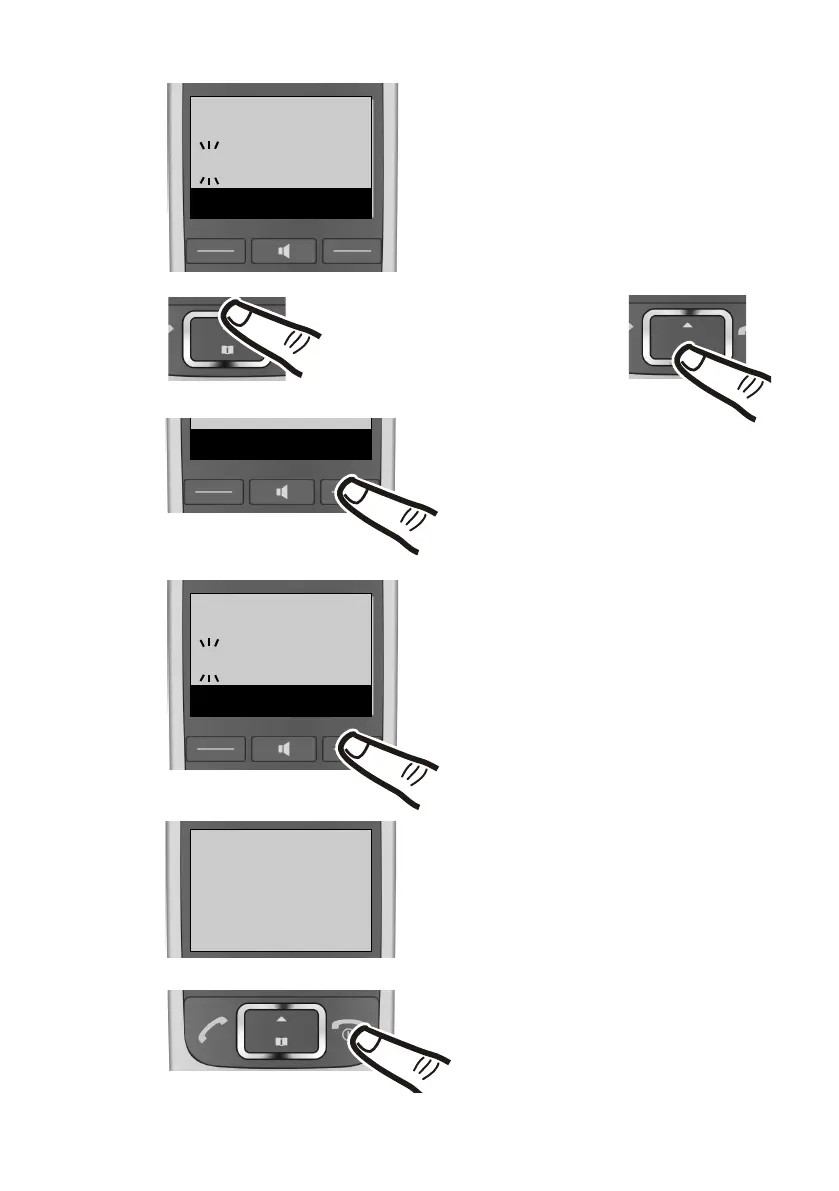
¤ Enter the hours and minutes in
4-digit format via the keypad e.g.,
QM15 for 07:15 am.
If necessary, use the control key to
swap between fields.
¤ The input field opens. The active
line is marked [...].
Enter the day, month and year as
an 8-digit number via the keypad
e.g.,
Q1Q42Q1Q
for 1 April 2010.
To correct errors: press up or
down on the control key to
swap between fields.
¤ Press the key below
§OK§ on the
display screen to confirm your
entry.
¤ Press and hold the end call key a
to return to idle status.
The display shows Saved. You will
hear a confirmation tone.
¤ Press the key below
§OK§ on the
display screen to confirm your
entry.



 To Next Page