8
RDM
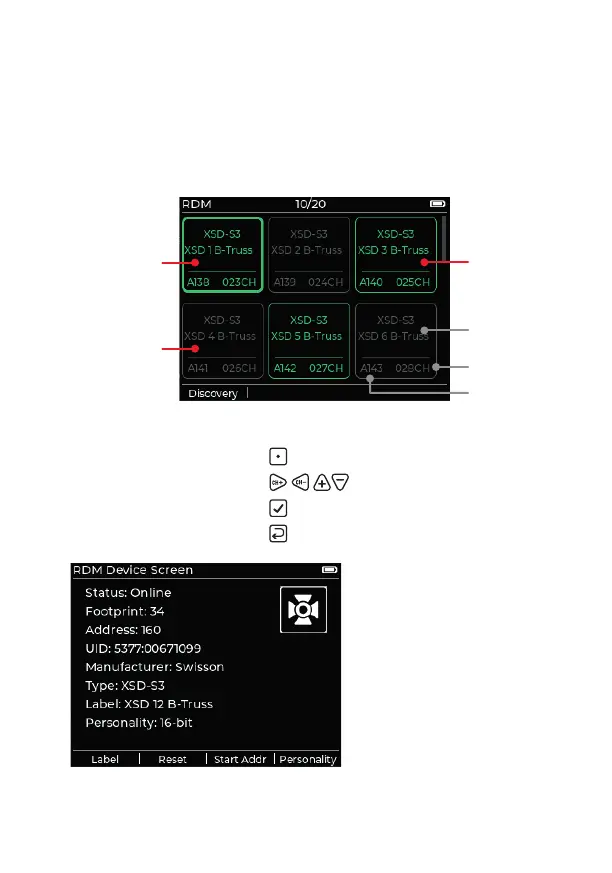
This app deals with the Remote Device Management features of
connected xtures that support the protocol. After opening, a discovery
will be enacted to nd all compatible xtures (incremental discoveries
are also carried out as a background task). Discovered devices will be
presented as follows:
Navigation
• Perform new discovery:
[Discovery]
• Highlight required xture:
• Choose highlighted xture:
• Return to previous page:
Details for a chosen xture
are displayed in a new page.
The four soft-key options
allow you to:
• Set the RDM label
• Reset the xture
• Change the start address
• Change the xture
personality
Present fi xture
(identifi ed)
Lost fi xture
DMX footprint
Start address
Label/description
Present fi xture


 To Next Page