3
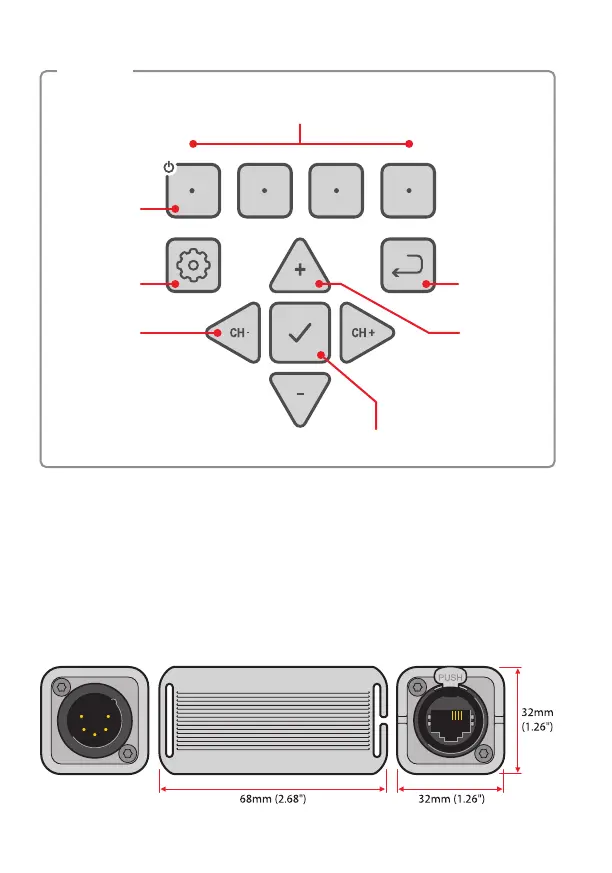
Soft-keys (x4) respond to options
listed at base of the display
Back keySettings key
Cursor
left / right
movement
plus
Channel
decrement
/ increment
Cursor
up / down
movement
plus
Value
increment
/ decrement
OK / enter key
Press and
hold the left
key to power
on/off
Keypad
Cable Test Dongle
XMT-500 can test your loose DMX cables when they are connected
between its male and female XLR connectors. If you need to test DMX or
Ethernet cables that are xed in place, use the cable test dongle. Simply
connect the compact dongle at one end of the cable and the XMT-500 at
the other - then use the Cable Tester section (see page 9) to verify the
connected cable.


 To Next Page