4
Home Page
When you rst switch
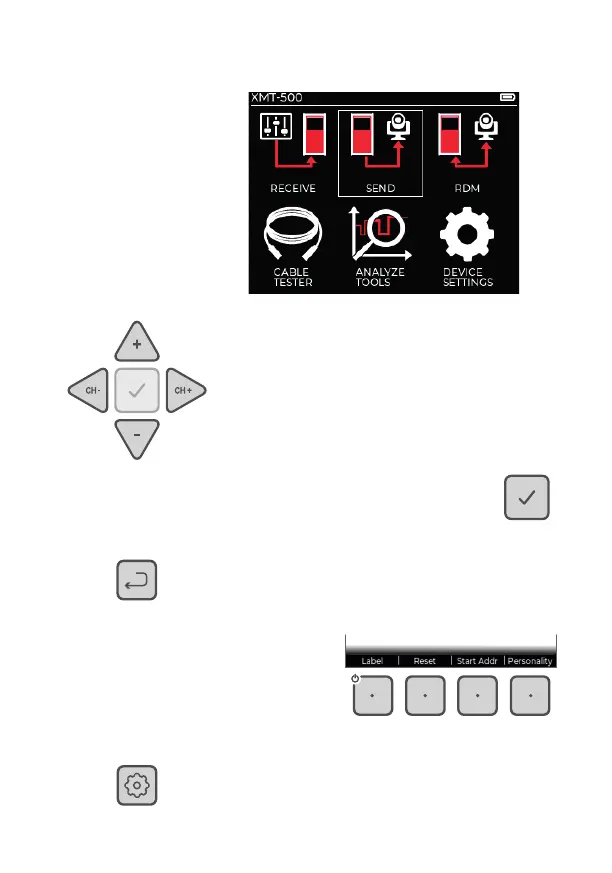
XMT-500 on you will see
the home page:
Use the arrow keys to move the highlight
box between the app icons. Also use these
keys to move between options within an app
and to change settings.
When the required app or option is
highlighted, press the OK key.
Press the Back key to go
return to the previous page.
The changing functions of
the four soft-keys are listed
above them on the screen.
To view confi guration items for a particular app,
press the Settings key (not used in all apps).



 To Next Page