10
ETH Dongle
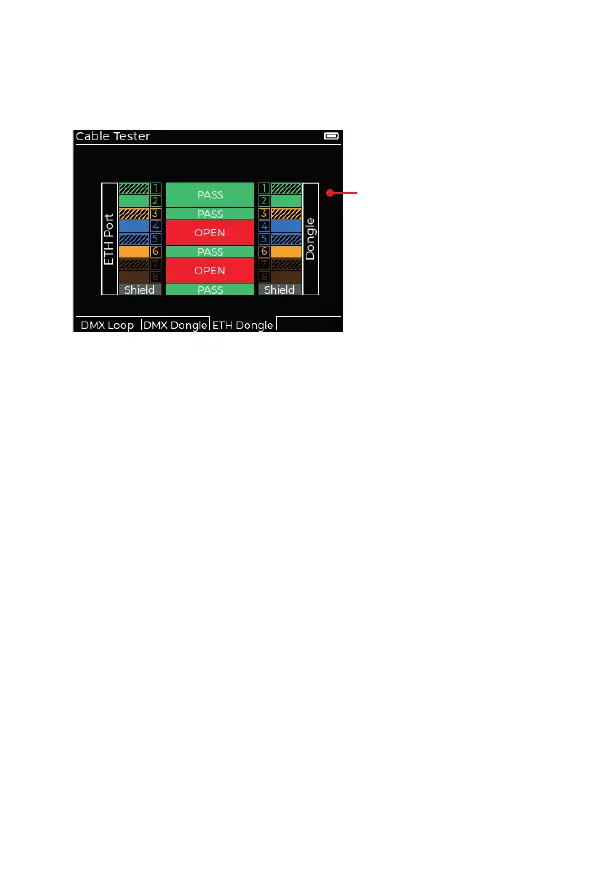
When testing an Ethernet cable between the RJ45 connectors of the XMT-
500 and the cable test dongle, press the ETH Dongle soft-key to show:
Pass/Fail indications
Note: Unlike the loop test option,
dongle tests are carried out in
pairs, eg pins 1 & 2 are tested
together, as are 3 & 6, 4 & 5, and
7 & 8. If a short occurs between
pairs (e.g. short between pins 2
and 4), both pairs will be marked
as failed. Similarly, if an open
circuit occurs on one line within a
pair, both lines in the pair will be
shown as open.
IMPORTANT
When in cable test mode:
• Never connect to a live Ethernet port.
• Fully disconnect DMX from the XMT-500 to enable Ethernet testing.


 To Next Page