5
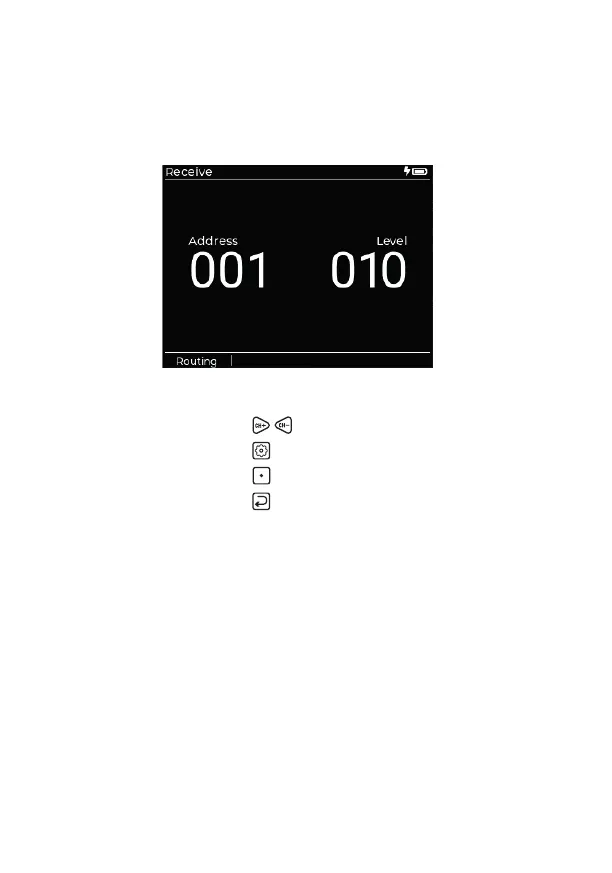
Receive
This app allows you to view channel levels for a valid input signal received
at the DMX and/or Ethernet connectors. Channel/address levels can be
viewed in decimal, hex or percentage notation.
Navigation
• Choose channel/address:
• View the Settings page:
• View the Routing page:
[Routing]
See page 7
• Return to previous page:
Settings page
• Show Level As: Decimal / Hex / Percent
• Address Mode: All / Non-Zero (when selected, shows only
channels that have a value above 0)
Routing
This page manages priorities when two or more valid signal protocols
(DMX, Art-Net and/or sACN) are being received. Only the highest priority
protocol that is received is displayed. See page 7.


 To Next Page