SYM Keihin EFI System CHK light Diagnose
(LM25W1-T / JOYMAX 250)
CHK light error message chart and Counter Measure
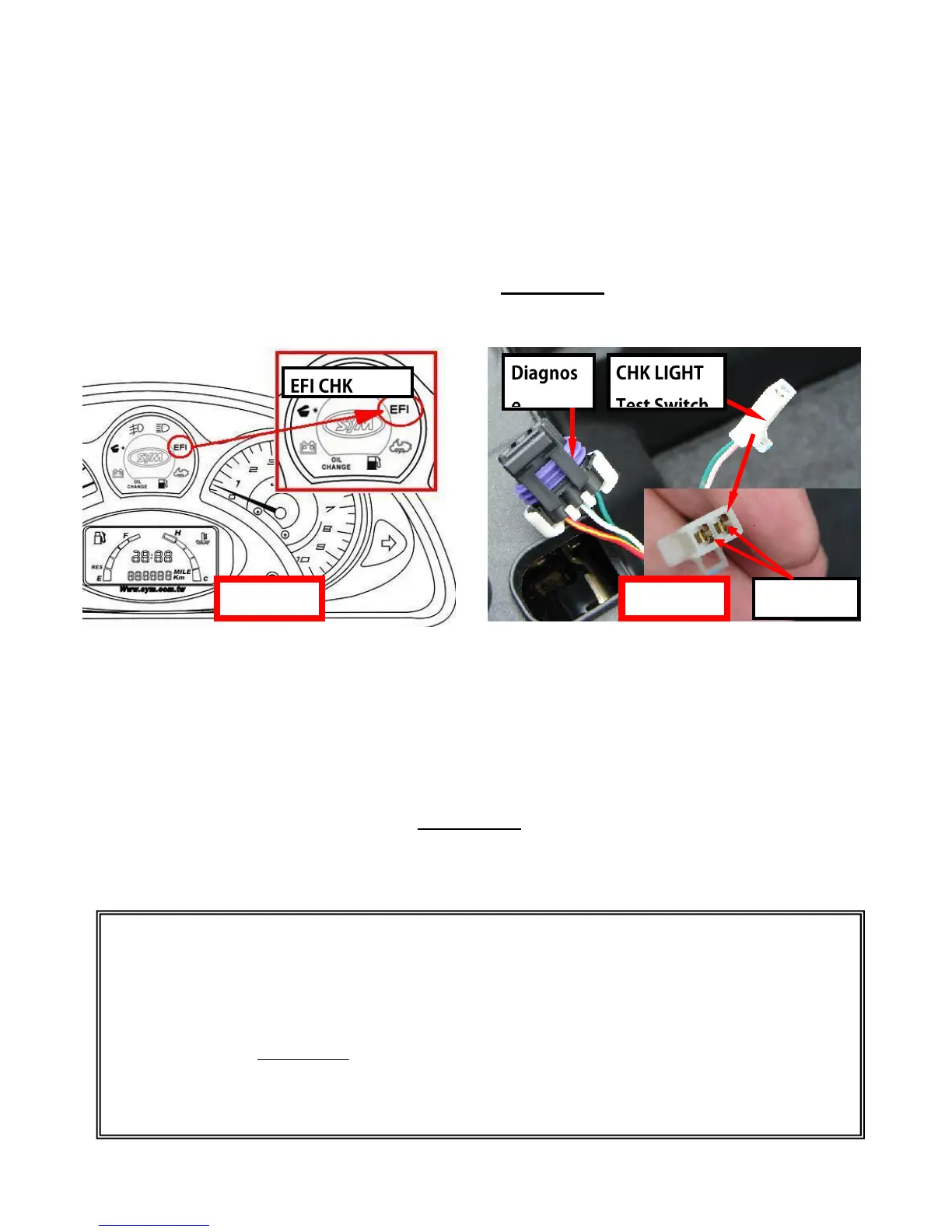
If anything go wrong within the EFI system and causes engine rough running or
stopped, the check light in the speedometer (Picture A) will illuminate to alarm the
driver to perform system check.
Step 1. Confirm SYSTEM error message: After key on, the EFI CHK LIGHT will
illuminate as normal, and then the light goes off. If any things go wrong
in the system the light will illuminate again and keep bright. If this
situation is found, perform checks to diagnose.
Step 2. Keep Key on, and then use a clip or wire to connect two joints in the
CHK LIGHT Test Switch (Picture B). After the joints connected, the EFI
CHK LIGHT will start to blink. This is the error message. Read the error
message to diagnose.
WARINING!
The CHK LIGHT blinking error message is for reference only! Please use SYM
Diagnostic tool for problem confirmation.
It is very easy to MISREAD the error message by the blinking check lights, thus causing
wrong diagnostic and repair treatment.
PLEASE USE SYM OFFICIAL DIAGNOSTIC TOOL.



 To Next Page