-9-
7. Headless Function:
After using the left joystick (throttle) to control the ascending/descending flight
of the drone, release the left joystick (throttle) and the drone will hover at that
height when the joystick is released.
Front
Back
Left Right
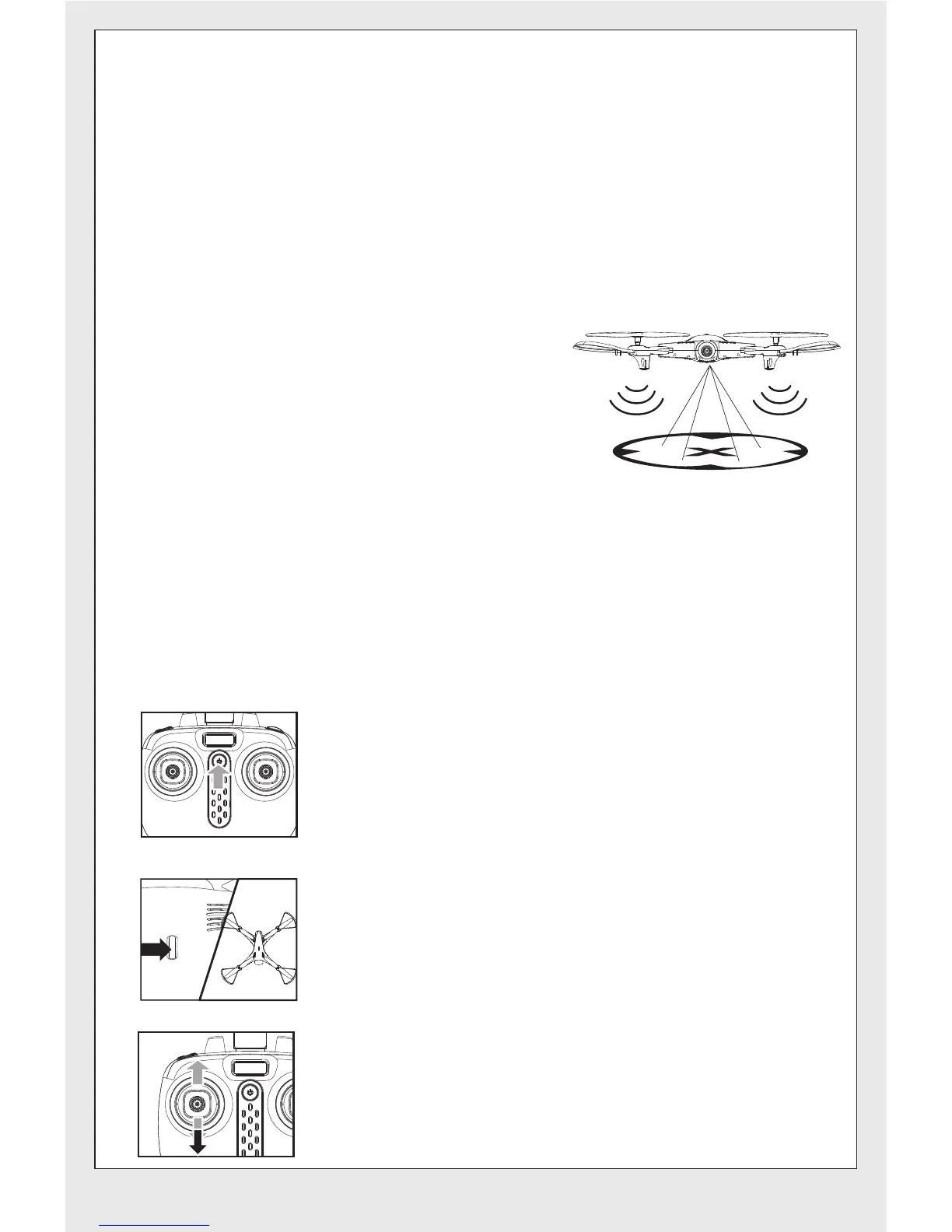
6.Optical flow Hover & Auto Hover Function:
When the drone is turned on, the drone will automatically start the optical
flow positioning function when hovering in the air, and the drone will remain
stationary at a certain point.
②Auto Hover Function:
①.Defining forward direction:
●Press on the power button of the remote control.
●Press the power button of the drone, and adjust the
specified direction of the drone’s head under the
headless mode as the new forward direction.
●Push the left joystick (throttle) on the remote control
up to the farthest position and then pull down to the
farthest position. When the remote control issues a
long “beep” sound, it means the frequency and
defining forward direction functions are completed.
①Optical flow hover function
1.Achieve fixed-point accuracy of
about 0.5 meters.
2.If the light is dark, the ground
reflects, the height is greater than
12 meters, or the wind is above
level 2,the optical flow positioning will
influenced under these conditions, at
this time the indicator light of the
drone will be flashing three times.
Note:


 To Next Page