-8-
Product Features
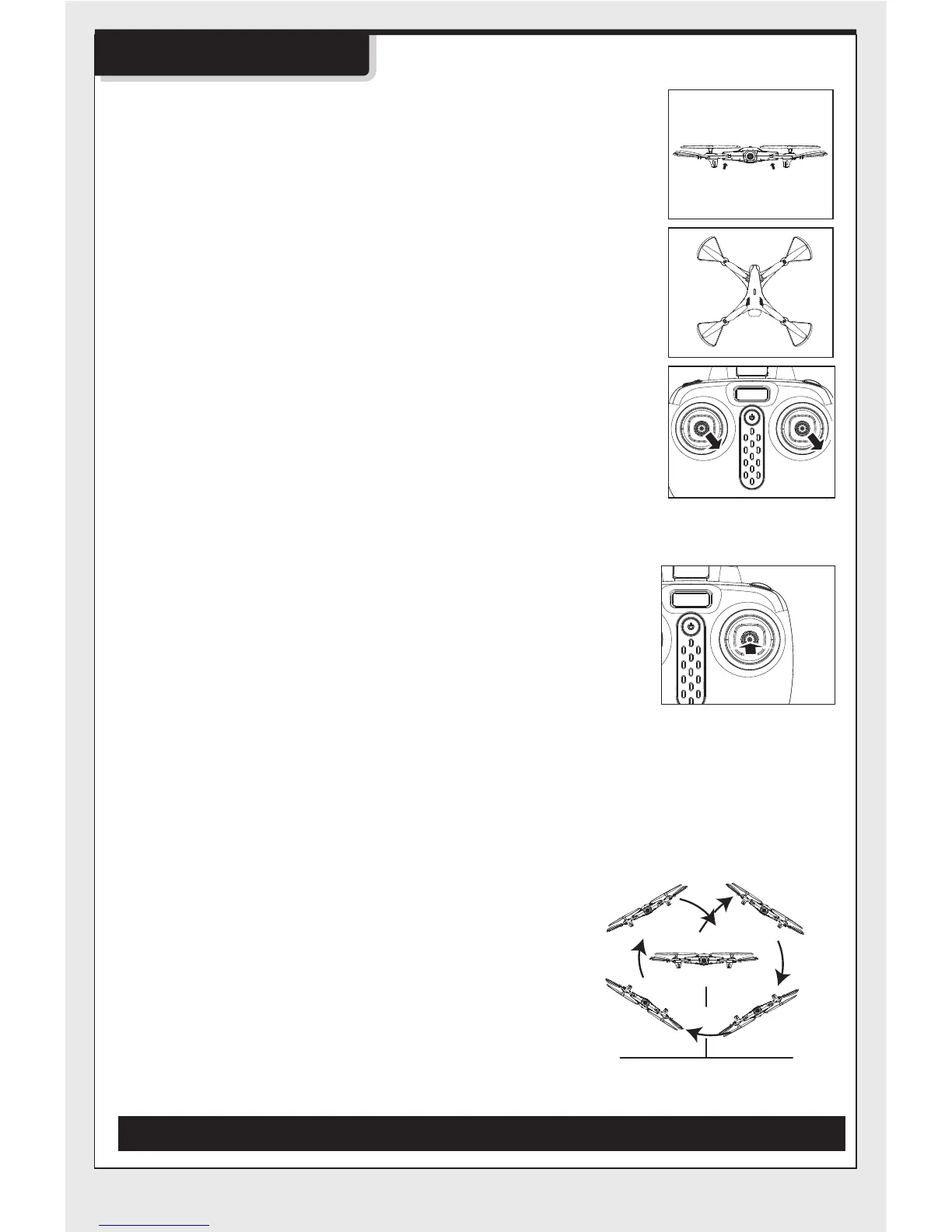
1. Low-Voltage Protection:
2.Over-Current Protection:
5.360°Stunt Flip Function:
3.Level Calibration Function:
4.High/Low Speed Function:
When the four indicator lights at the bottom of drone
start flashing, it means that the drone's battery power is
low. At this time, please control the drone return.
When the drone encounters direct impact from a
foreign object, or is obstructed, or the blades are not
rotating, the drone will go into the over-current
protection mode.
Place the drone on a level surface and at the same
time, push both left and right joysticks to the lower right
corners for 2 to 3 seconds; the indicator lights on the
drone will blink rapidly, and they will return to solid
status after about 2 to 3 seconds. The level calibration is
successful.
Low speed by default when first powered-on.
Possible to switch the function mode of high/low
speed by pressing the right joystick for a short
time. It is switched into high speed mode when
two ”beep” sounds come from the remote control,
pressing the right joystick for a short time under
fast speed mode and then one “beep” sound
would come from the remote control,then it is
switched back into low speed mode.
When you are familiar with the basic actions,
you can proceed to explore even more
exciting stunt actions. Fly the drone to a
height of above 3 m above the ground, press
the upper right corner button (Stunt Flip
Button) on the remote control and
simultaneously push the right joystick to the
farthest position of Front/Back/Left/Right, the
drone will now execute the Front/Back/ Left/
Right stunt flip function.
Note: Drone will have the best stunt flip action when the batteries are fully charged.
3m


 To Next Page