User’s Manual
Synaccess Networks, Inc. www.synaccess-net.com (760) 930 – 0473 Page 15 of 46
remote Telnet session, use the command “telnetend” at the serial console terminal to
terminate the Telnet if you need to do so.
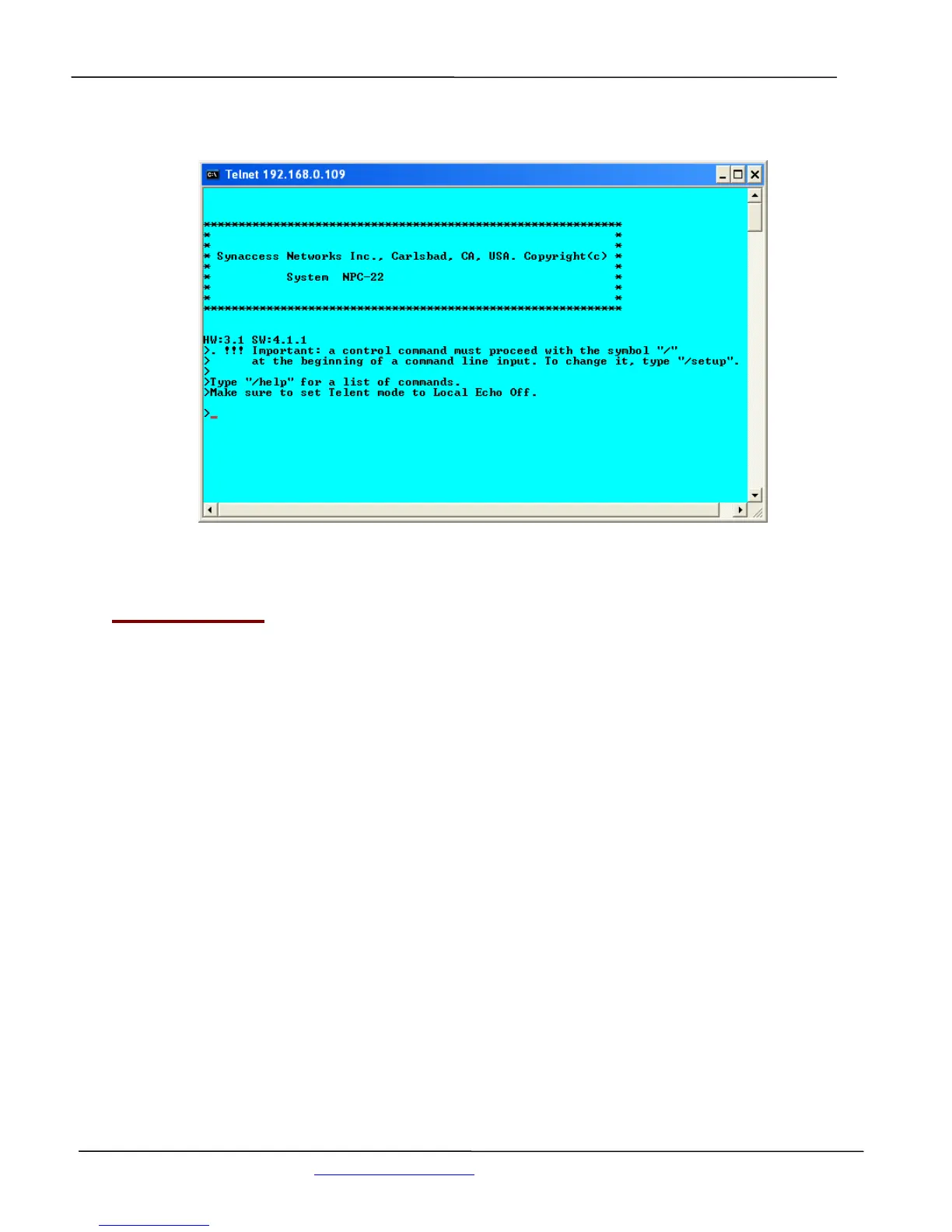
Figure 8 - Telnet Session Startup screen
3.6 Web Access:
You need to obtain the system IP address before starting web access to the system. Please refer to
the Telnet Access section for methods to get the system IP address. You also need to make sure that
web access is enabled, as a default setting. If the access is not enabled, please refer to Section
“Using Configuration Menu” to change the setting. Start a Web browsing application program such
as Window’s Explorer and enter “http://ip_address“in the address field.
You must have an account on the system in order to access the system via this method. Without a
valid account, you are only able to view the following web page and get a copy of the Help text
message.


 To Next Page