User’s Manual
Synaccess Networks, Inc. www.synaccess-net.com (760) 930 – 0473 Page 41 of 46
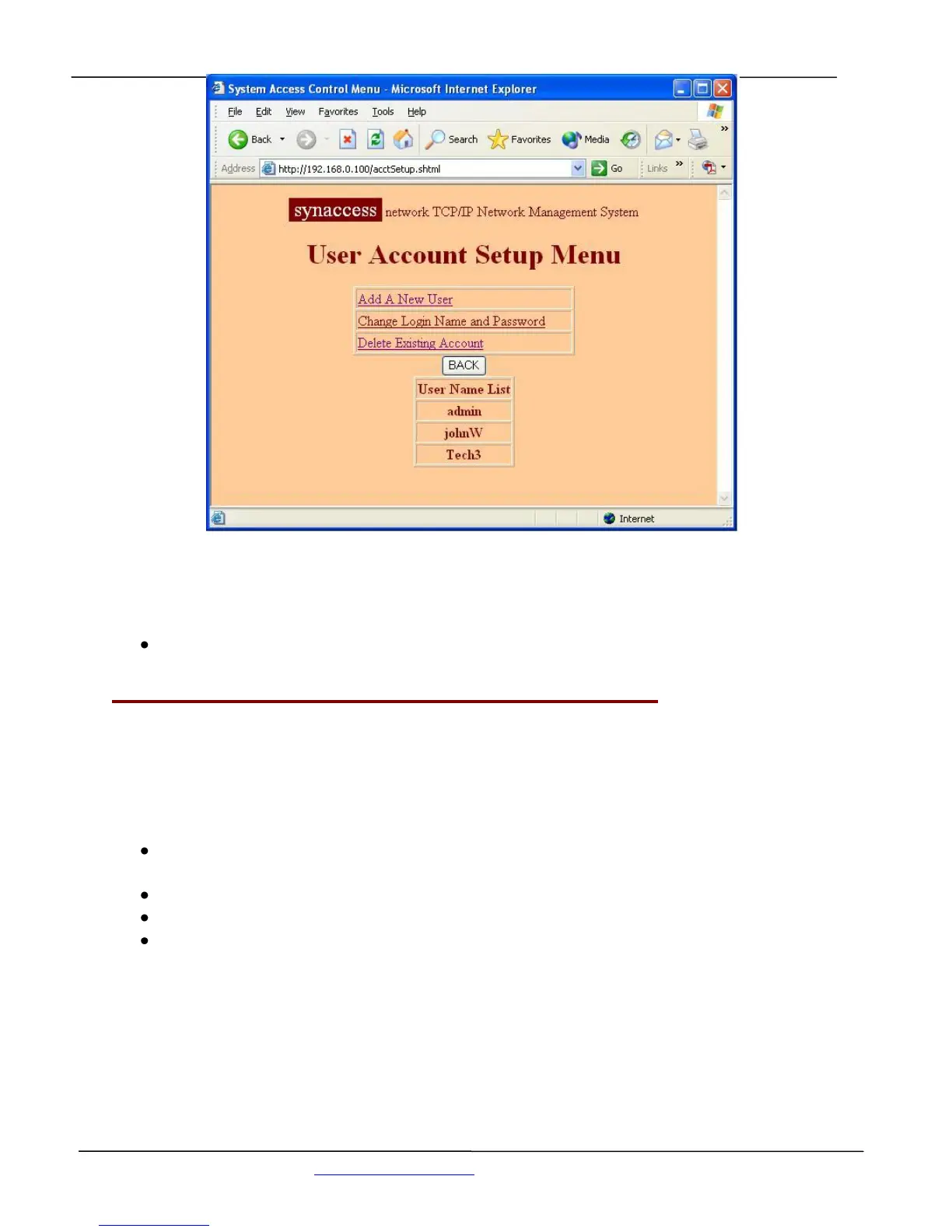
Figure 33 - User Account Management Menu (Web Page)
Helpful Info:
Use the command “userlist” to view all existing account
5.8 Viewing and Changing Operation Status with a Web Page:
Figure 34 shows a web page that lets you to view and change serial console port and power outlet
operation status.
With this web page, you are able to:
View on/off status for each power outlet. As shown in the table, Power outlet 1 is power on
(illuminated in red) and outlet 2 is power off (not illuminated, in grey).
Change power outlet on/off status by clicking “on/off” push switch button icon.
Reboot a power outlet by clicking “Reboot” push switch button icon.
Get current all ports status by pressing “Refresh View” button.


 To Next Page