EasyManua.ls Logo

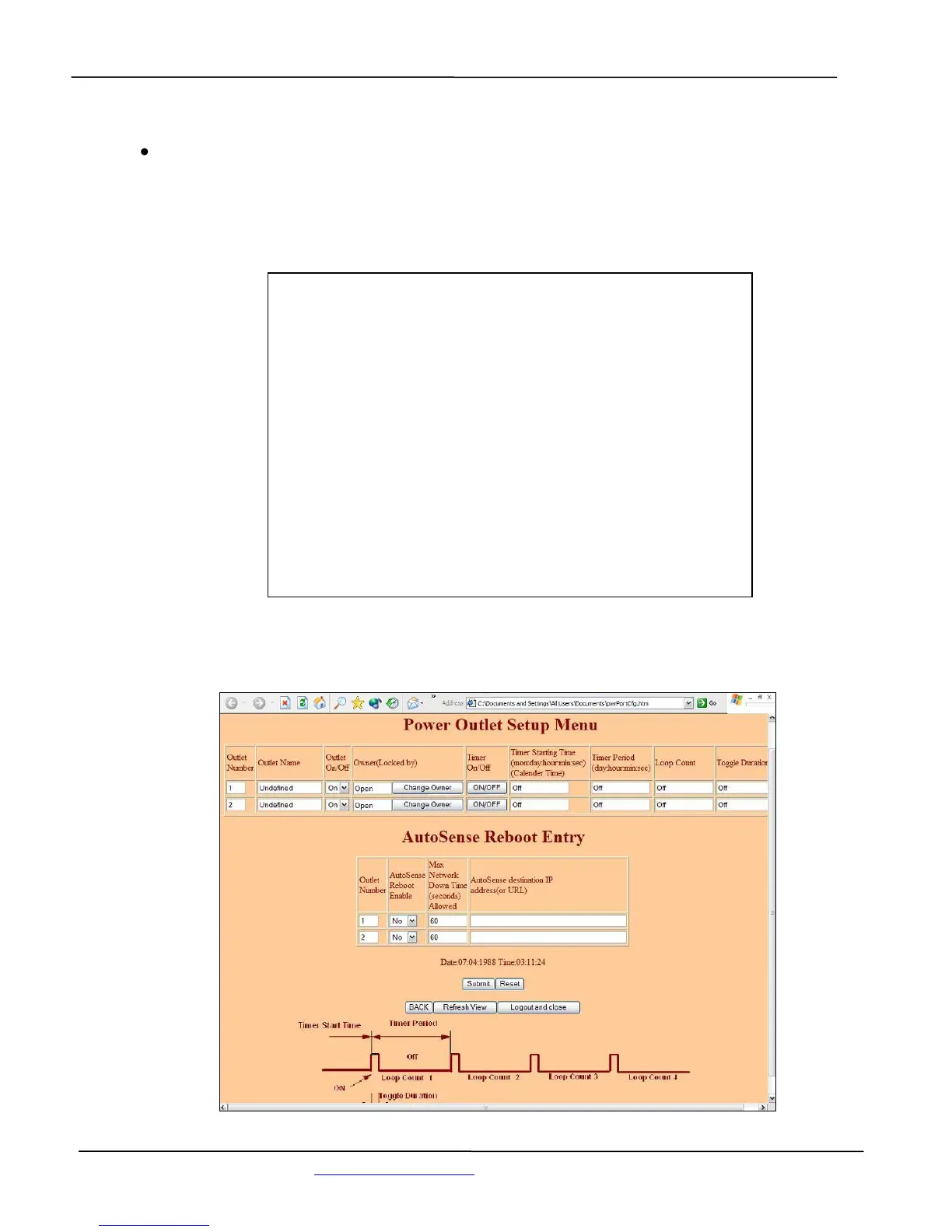
Synaccess netBooter Series - Figure - 27 List of Power Outlet Status (Terminal Screen)

Synaccess netBooter Series
46 pages
Print Icon
To Next Page IconTo Next Page
To Previous Page IconTo Previous Page
Loading...
User’s Manual
Synaccess Networks, Inc. www.synaccess-net.com (760) 930 0473 Page 36 of 46
Helpful Info:
Use command “pshow” to display all power outlet status.
Figure - 27 List of Power Outlet Status (Terminal Screen)
************************************************************
* *
* *
* Power Outlet Port Parameters and Status *
* *
* *
************************************************************
>
>
Port | Name | Status | Reserved By | Timer
-----+------------+---------+------------+--------
1 | Switch5 | On | Open | Off
2 | Undefined | On | Open | Off
3 | eqt1 | On | JohnW | On
4 | Undefined | On | Open | Off
>***Power reboot duration: 5 seconds.
>
>Press key "Enter" to continue ...

Table of Contents

Related product manuals