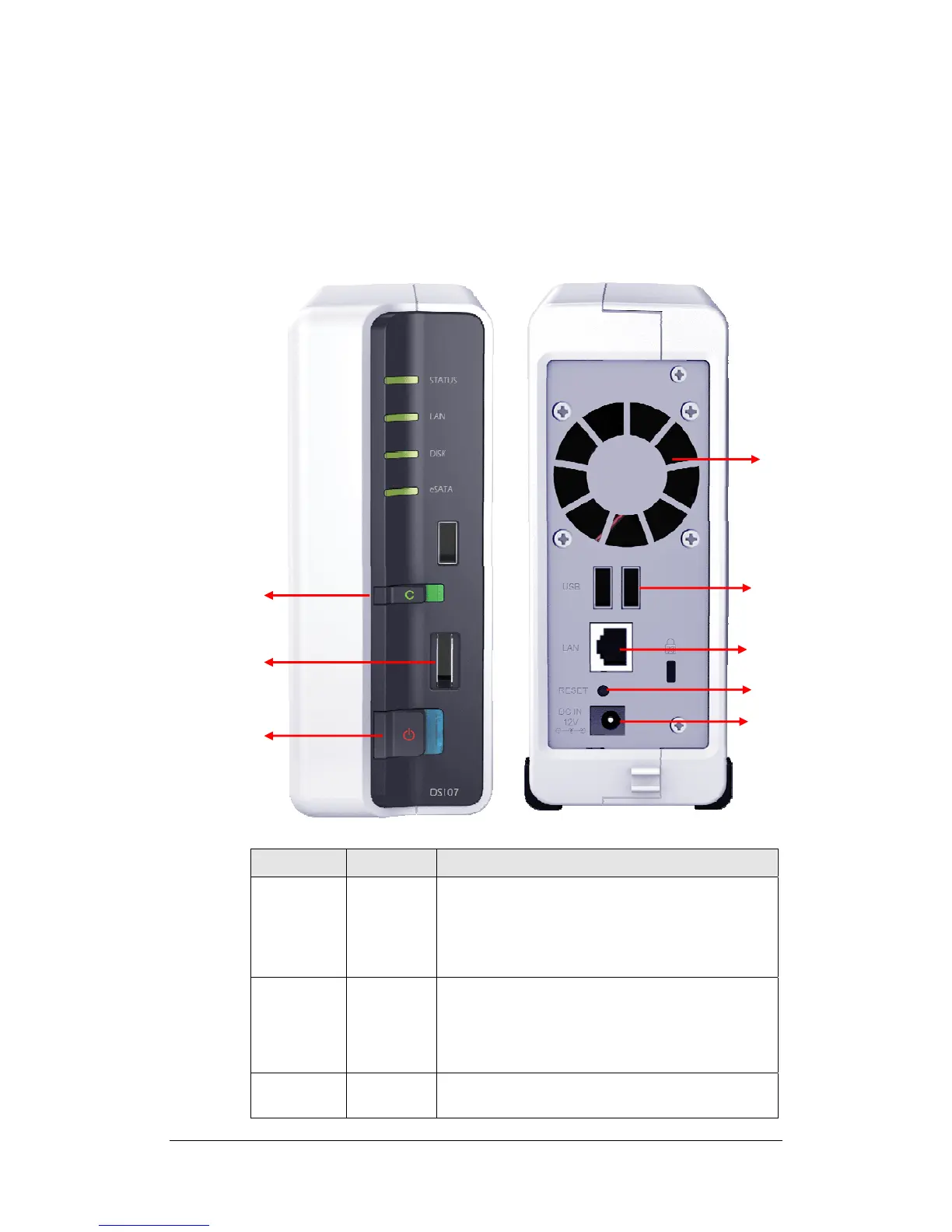
USBCopy
button
USB
port
LAN port
RESET
eSATA
port
Article Name Location Description
Power Button Front Panel The Power Button is used to turn the Synology
Server On or Off.
To turn Off Synology Server, press the Power Button
and hold it until you hear a "beep" sound and the
Power LED starts blinking.
COPY Button Front Panel The COPY Button lights up when you connect a
USB Device (for example: digital camera, USB flash
disk). Pressing the button will copy the data from the
connected USB device to the Synology Server's
internal HDD.
USB Port Front & Back
Panel
The Synology Server offers 3 USB ports for adding
additional external hard drives, USB printers, or
DC in 12V
port
POWER
button
14















 To Next Page