Using Network Recycle Bin
When users delete files in the shared folders via the SMB/CIFS protocol (ex: on
Windows), the deleted files will be moved into the automatically-created folder
"#recycle" in the same shared folder to avoid files being unintentionally deleted.
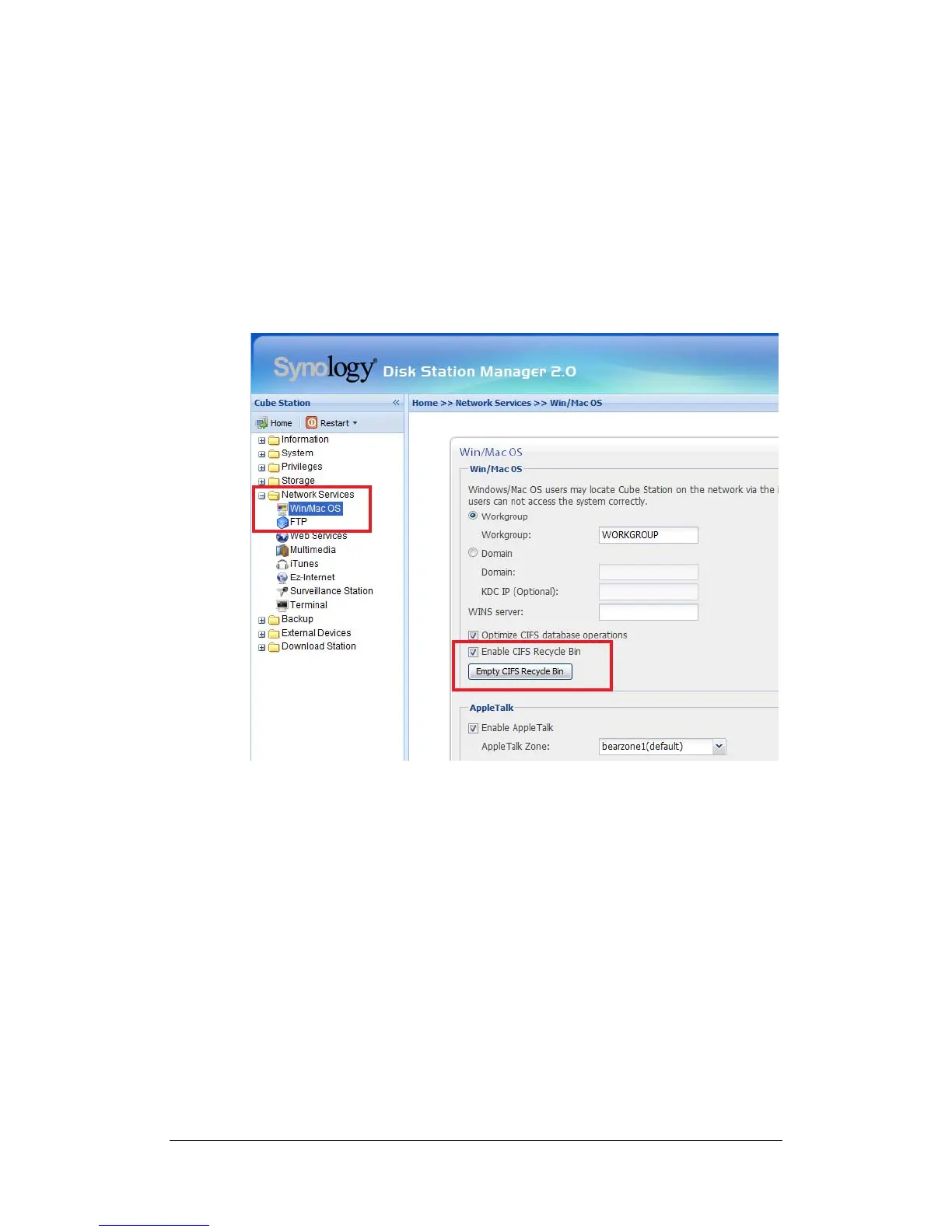
To enable the recycle bins, going to the page “Network Services > Win/Mac OS”,
and check the “Enable CIFS Recycle Bin” option.
To permanently deleted files in a shared folder, just delete the “#recycle” folder;
to permanently delete files in all shared folder, click the “Empty CIFS Recycle
Bin” button.
Setting Encoding
Synology Server uses Unicode to manage files. The benefit of using Unicode is
to avoid file inaccessibility between users who use different languages. However,
for users without Unicode support on their PC, Administrator can set the
encoding method of the files to overcome the problem. Please go to the page
“System > Language” of the Web Management UI for setup.
35















 To Next Page