Accessing Synology Server via NFS
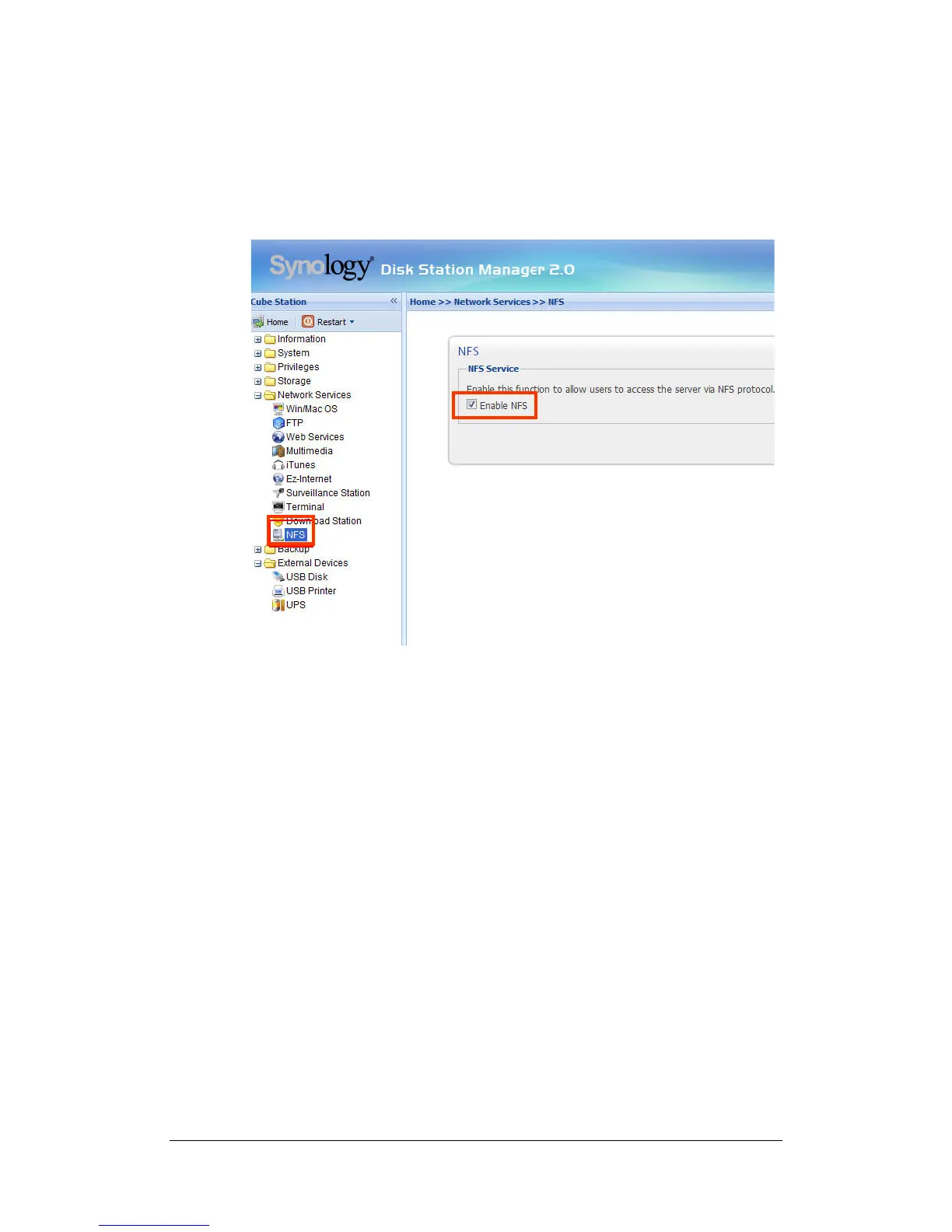
With the built-in NFS option, the administrator can quickly enable NFS and set
up privileges on the UI by a few checks only. Go to “Network Services > NFS”
and check the box to enable this function. Go to “Privileges > Shared Folder” to
setup the NFS privileges.
Resetting Administrator Password
Pressing the “RESET” button and hold it for about 4 seconds before you heard a
beep sound will restore IP, DNS, passwords for the "admin" account to default
value, and reset the “guest” account to the “enabled” status. The default
password of the “admin” account is blank.
Reinstalling Synology Server
If for any reason you have to reinstall the Synology Server, you can press the
RESET button on the back panel twice, and the Synology Server will be
reinstalled. The data saved on the Synology Server will not be erased during the
reinstallation. However, for security’s reason, we strongly recommend that you
back up the data on the server.
To reinstall the server:
1. Press the “RESET” button and hold it for about 4 seconds. Release the
button when the Synology Server emits a beep sound.
30















 To Next Page