EasyManua.ls Logo

Synology DS107+ - LED Indication Descriptions Table; 1-Bay & 2-Bay Models

Synology DS107+
63 pages
Print Icon
To Next Page IconTo Next Page
To Previous Page IconTo Previous Page
Loading...
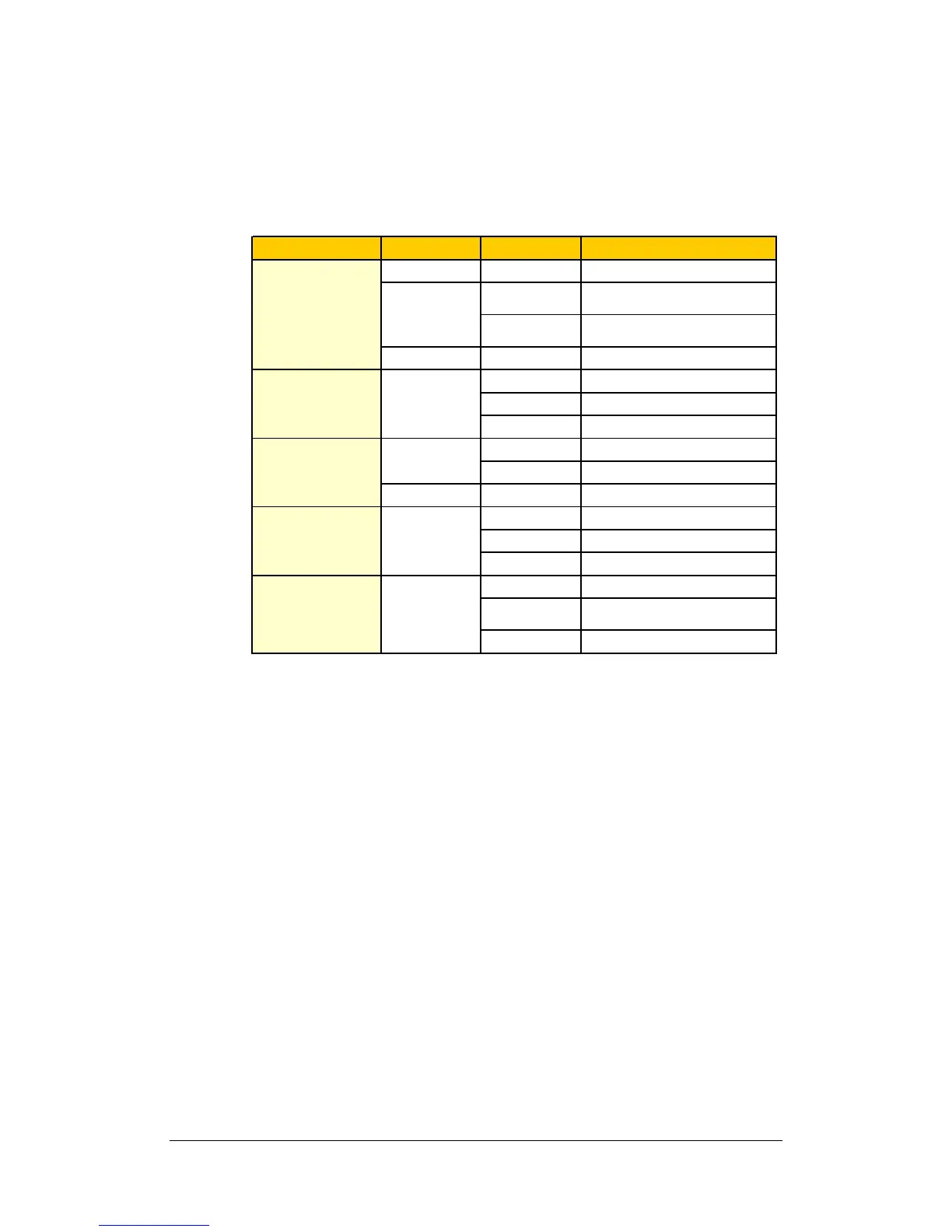
LED Indication Descriptions Table
1-bay & 2-bay Models
LED Indication Color Status Description
Green Solid Volume normal
Solid
Available volume space < 1GB
S
y
stem firmware not installed
Blinking
Volume degraded or crashed
No volume
Green/Orange Blinking Checking memory
Solid Network is up
Blinking Network is active
Off Network is down
Off No internal disk
Orange Blinking Cannot Read/Write
Solid USB disk detected
Blinking Copying data
Off No USB disk attached
Solid System ready
Blinking
Booting up
Shuttin
g
down
Off Power off
STATUS Orange
Green
DISK / eSATA
LAN Green
Blinking Disk is being accessed
Power Blue
USBCopy Green
21

Table of Contents

Other manuals for Synology DS107+

Related product manuals