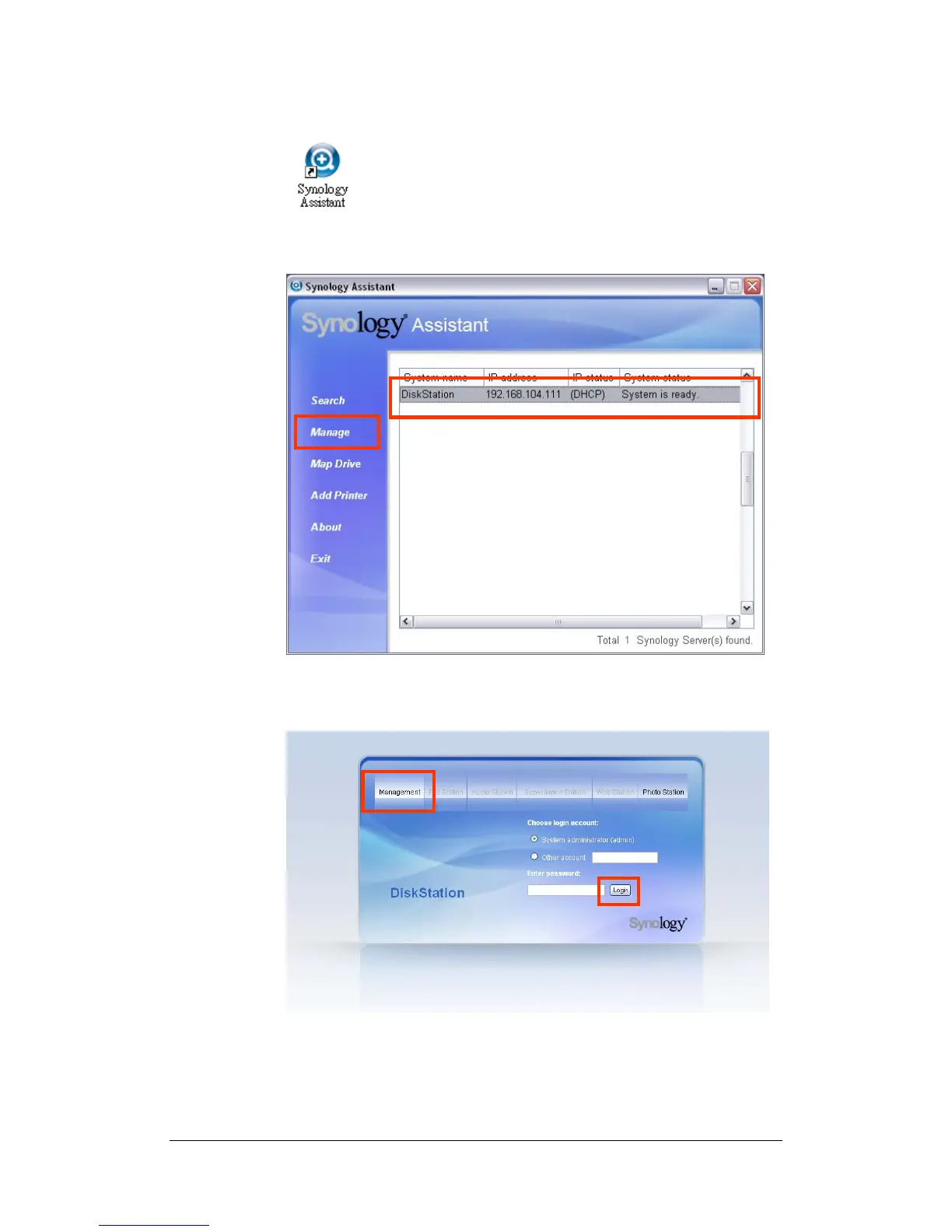
4. After installation, double click on the desktop icon to execute the program.
5. Choose the server you want to manage and click “Manage” to enter the
Web Management UI.
6. Click on “Management”. Choose “login as system administrator (admin)”,
input password and click “Enter”.
[Mac OSX User]
1. Insert the Installation CD into CD/DVD-Rom Drive.
2. Double-Click CD-Rom Drive thumbnail.
25















 To Next Page