Getting Started
SYS TEC electronic GmbH 2001 L-487e_6
9
2
Getting Started
What you will learn with this Getting Started example:
•
••
•
installing the USB-CANmodul
•
••
•
software installation
•
••
•
connecting the USB-CANmodul to the host-PC
•
••
•
connecting the USB-CANmodul to a CAN network
•
using PCANView (USBCAN)
2.1
Installation of the USB-CANmodul
Ensure that the individual components are not damaged. The contents
of the USB-CANmodul are:
•
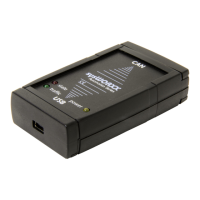
USB-CANmodul
•
Installation discs
•
Systems Manual (printed or as electronic version on the
installation discs)
•
USB cable
2.1.1
Software Installation
Note
: Install the software before connecting the
USB-CANmodul to the host-PC.
Installation and operation of the USB-CANmodul requires a host-PC
with a USB port that is running Microsoft Windows 98 or Windows
2000. The USB-CANmodul will not work under Windows NT
because there is no USB support in this operating system.
a) Insert the
USB-CANmodul Utility Disc
that corresponds to your
operating system. Use disc 1/2 if your computer runs Windows 98,
for Windows 2000 machines use disc 2/2.
b) Click on the “Start” button and choose “Run...”


 To Next Page