USB-CANmodul
10
SYS TEC electronic GmbH 2001 L-487e_6
c) In the dialog field “Run”, enter “a:\setup.exe”. Click on “OK
”
to
start the setup program.
d) Follow the setup instructions to install the USB-CANmodul
software.
Note
: You will need to restart your PC at the end of the
installation procedure.
2.1.2
Connecting the USB-CANmodul to the Host-PC
Connecting the USB-CANmodul to the host-PC is simple.
•
Start the host-PC.
•
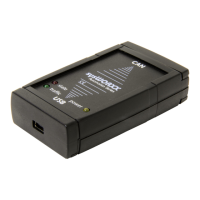
Connect the USB-CANmodul to your computer using the included
USB cable
•
Windows automatically detects
the USB-CANmodul. A window
with the message “Unknown device” appears. Then the operating
system automatically searches for the appropriate driver. The
firmware will now be downloaded to the USB-CANmodul. The
red status LED blinks with a frequency of 10 hertz to indicate this
procedure.
•
The USB-CANmodul now logs-on to the host-PC. Once more,
Windows detects an unknown device and searches for the device
driver automatically. At this time, the red status LED will stay on.


 To Next Page