
 Need help?
Do you have a question about the Sys Tec Electronic USB-CANmodul and is the answer not in the manual?
Details the Universal Serial Bus (USB) standard, its advantages, and its implementation in the USB-CANmodul.
Explains connection to a CAN network and supported CAN 2.0A/2.0B specifications.
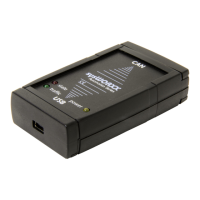
Describes the USB-CANmodul's hardware components and lists the items included in the kit.
Details the CAN interface standard, voltage supply, DB-9 connector, and frame formats.
Outlines the USB connector type, power supply, transmission type, and case size.
Guides through the process of installing the USB-CANmodul hardware and software components.
Explains the meaning of the power and status LEDs on the USB-CANmodul.
Details the requirements and options for supplying voltage to the CAN transceiver and opto-coupler.
Introduces the software utilities available for configuring and monitoring the USB-CANmodul.
Describes the UCAN Config utility for managing device numbers and configuring USB-CANmoduls.
Explains how to use PCANView to display and monitor CAN messages transmitted via the CAN bus.
Details the USBCAN32.DLL, its functions, and how to integrate it into application programs.
Provides detailed explanations of the syntax, usability, parameters, and return values for various DLL functions.
Lists and explains the possible error and warning codes returned by the USBCAN32.DLL functions.
Explains how to configure the baud rate for the CAN interface using specific functions and values.
Describes how the CAN controller filters messages using the Acceptance Mask Register (AMR) and Acceptance Code Register (ACR).
Details the two callback functions provided by USBCAN32.DLL for event notification.
 General
| Category | Control Unit |
|---|---|
| Interface | USB |
| CAN Protocol | CAN 2.0A/B |
| Number of CAN Channels | 1 |
| Data Rate | Up to 1 Mbit/s |
| Operating Voltage | 5V (via USB) |

 To Next Page