page
10
January 2020 - Rev. 1.2
Order Cod. 1902503003
3.5 Other diagnostics
messages
The following messages appears in the event of an
error during the detection of the drive boards; it is
recommendedtocontactSYSTEMElectronics.
HARDWAREERROR
SLAVEHWMISSING
HARDWAREERROR
SLAVEHWPRESENT
CONFIGERROR
ProdCodenotset
3.6 Indicator LEDS
CAN communicationviaCANbuseldbus
ETC RUN EtherCATcommunicationstatusaccording
tostandard:
Table 3.6.1
4. Axes management
Firmware update
Asalreadymentioned,theaxesmanagementrmware
canbeupdatedontheeldthankstothepresenceof
another rmware (xed) on the drive called Monitor
whoseexecutionmust,obviously,beforced.
TherearetwowaystoforceMonitorexecution:
• PressandholdtheESCkeywhileswitchingthe
driveon;
• Invalidatetheaxesmanagementrmware(via
therelevantcommandsentvianetworktothe
rmware)andrequiredrivereset(stillusingthe
relevantcommandsentvianetwork).
Whiletherstmethodrequiresamanualintervention
(butdoesnotinvalidatethemanagementrmware),the
secondoneallowstoruntheupdateremotelywithout
anyneedtoswitchoorevenopenthedrive.
OncetheMonitorexecutionhasbeenforced,thenew
axes management rmware can be downloaded onto
the drive using either EtherCAT or Ethernet network;
viathesamecommunicationchannelonecanthensend
commands that validate the previously downloaded
rmwareandforcethedrivereset;theupdatedrmware
willberunuponrestart.
The various stages of the updating procedure are
accompaniedbyrelevantmessagesonthedisplay.
Thisprocesscan,obviously,be automatedso thatall
drivespresentonanetworkareupdatedinparallel.
Make sure you have a power supply with the correct
voltage during the update procedure and do not
disconnectfromthepowersupplywhiledownloading.
It is in fact essential to update the rmware after
havingdisconnectedthemotorpowersupply,toprevent
uncontrolledmovementsduringtheprogramupdate.
4.1 Update via EtherCAT/FoE
Invalidationofthecurrentrmwareandresetofthedrive
viaEtherCATrequirewriting “make”in twovariables,
each4characterslong,locatedrespectivelyintheObject
Dictionaryataddresses0x4010sub1and0x4010sub2
(seeTable5.3.1)
TheObjectDictionaryisaccessibleusingtheEtherCAT/
CoEprotocol.
Downloading new rmware requires the use of the
EtherCAT/FoEprotocol.
Validation of the new rmware is automatic and is
performedattheendofasuccessfuldownload.
4.2 Update via Ethernet/HTTP
One can perform the invalidation, downloading,
validation and reset operations by connecting to the
Ethernetportofthedriveandusingabrowser(Internet
Explorer,Chromeetc.).
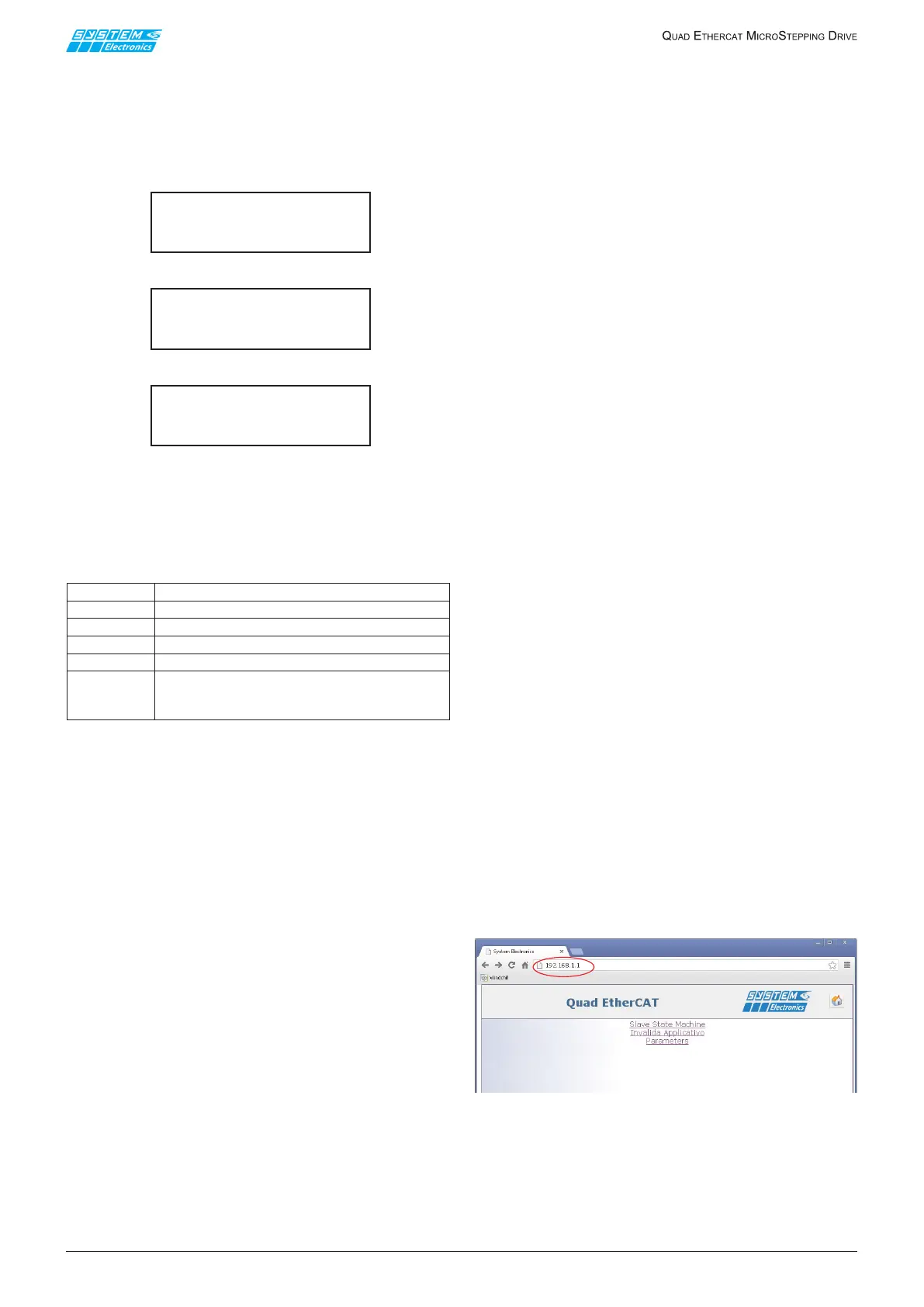
BydefaulttheIPaddressofthedriveis192.168.1.1;
asmentionedpreviously,itcanbechangedviathefront
keypad(orvianetwork).
1 - Viathebrowser,entertheaddressofthedevice
tobeupdatedintheaddressbarandclickonthe
"InvalidateApplication"link.
Figure 4.2.1
LED Description
Off
The device is in INIT state
Blinking
The device is in PRE-OPERATIONAL state
Single Flash
The device is in SAFE-OPERATIONAL state
On The device is in OPERATIONAL state
Flickering The device is booting and has not yet entered the
INIT state, or in BOOTSTRAP firmware download
operation in progress


 To Next Page
 Loading...