page
6
January 2020 - Rev. 1.2
Order Cod. 1902503003
3. Display and keyboard
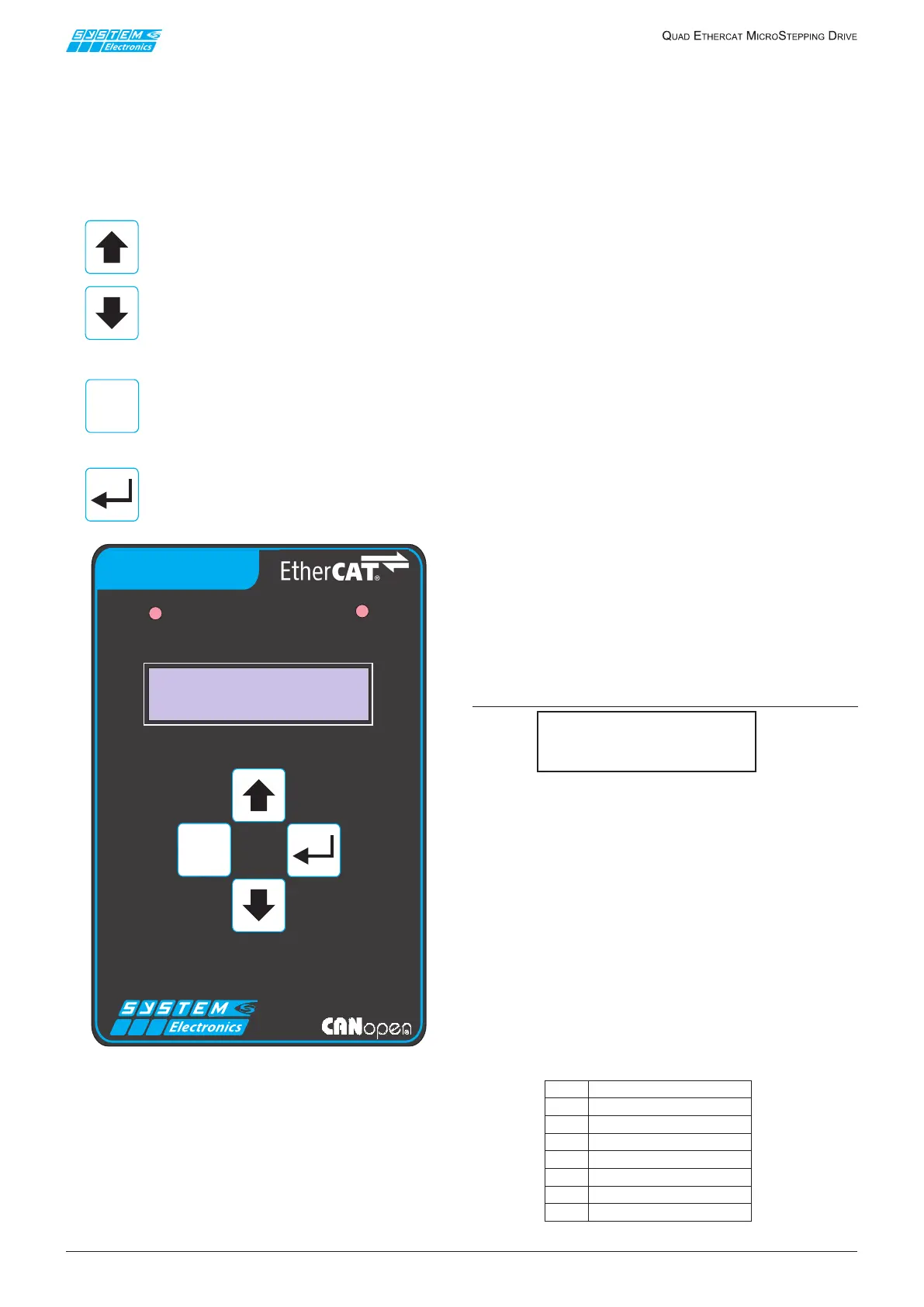
The drive is equipped with a backlit display and a keypad
withfourbuttonsfordisplayingandeditingsomeofthe
operatingparameters.
Thedisplayisorganizedasasetofcircularsequences
ofpagesthatcanbebrowsedusingthebuttonsonthe
keyboard;theseare:
Toscrollasequenceofpagesinthedesired
directionortoincrease/decreasethevalue
ofaparameterbeingedited.
Togobacktoasequenceofpagesonan
upper level or to the default page or to
cancel parameter editing operations in
progress.
To switch to a sequence of pages on a
lowerlevel,toaccesstheeditingmodefor
aparameterthatisbeingdisplayedandto
conrmitsnewvalue.
Figure 3.1
The main menu (the sequence of pages at the
highest level) allows to view the following read-only
parameters:
• Axesstatus(default page)
• Digital inputs status
• Digitaloutputsstatus
• Motorsupplyvoltage
• Motordissipatortemperature
• Controllertemperatureandsupplyvoltages
• StatusofjumpersJ2..J5(for testing only during
drive production).
PressingtheEnterkeywhileviewingthedefaultpage
makesanewsequenceofpagesappear(sub-menu):
• Axesmanagementrmwarerelease
• Monitorrmwarerelease
• Communicationmode (modiable)
• EtherCATnodeaddress (modiable)
• CANnetworkbitrate (modiable)
• CANnetworkterminationandsloperesistors
(modiable)
• CANopennodeaddress (modiable)
• EthernetMACaddress
• EthernetIPaddress (modiable)
• EthernetIPsubnetmask (modiable)
3.1 Display
WhentheETCQUADdriveisswitchedonsomemessages
appearonthedisplay,showingtheoperationsperformed
during the initialization of the axes management
rmware.
Ifnoproblemshaveoccurred,afterafewsecondsthe
displayshowsamessagesimilartothefollowing:
3.1.1 Axes status page
(default page)
E:00001:012:01
Init3:014:01
The beginning of the upper line shows the type of
communicationset(E=EtherCAT/C=CANopen)and
thenodeaddress(inhexadecimalformat).
TheEtherCATnodeaddressis setat 0000to request
dynamicassignmentoftheaddressitself.Otherwisethe
driveusestheaddresssetashot-plugaddressofthe
EtherCATnode.
The beginning of the lower line displays (with four
characters)theEtherCATorCANopenstatus:
[“Init”/”PrOp”/”SfOp”/”Op“/“ERR”/“Boot”].
ThestatusaccordingtostandardproleDSP402isthen
displayedforeachaxis1..4(inhexadecimalformat):
Table 3.1.1.1
ESC
CAN ETC RUN
ETC QUAD
ESC
01
NotReadyToSwitchOn
02
SwitchOnDisabled
04
ReadyToSwitchOn
08
SwitchedOn
10
OperationEnabled
20
QuickStopActive
40
FaultReactionActive
80
Fault


 To Next Page
 Loading...