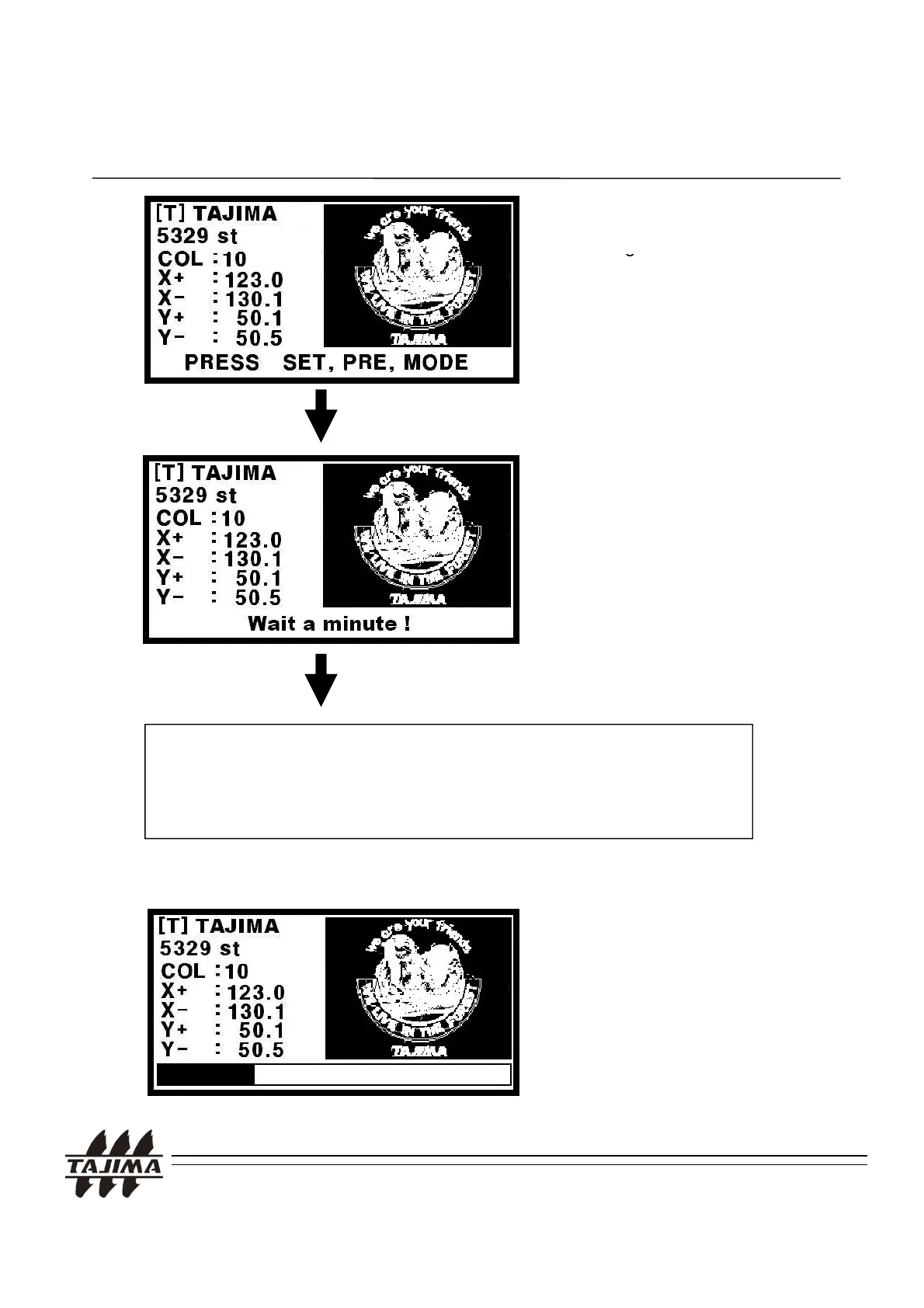
Press MODE key.
Then desi
n information and a
4. Using the TAJIMA USB Linker
thumbnail picture will be
displayed.
TAJIMA USB Linker is ready to
send the design.
Now, the design is being called at
the Machine.
design.
This procedure may vary, depending on the machine type.
Please see section 5. “Calling the design at the machine”.
The design is being
transferred.
TAJIMA USB Linker Manual
18


 To Next Page