5-5. TAJIMA TEHX-C/TFHX/TFGN
LCD b
Windows CE
Series etc.
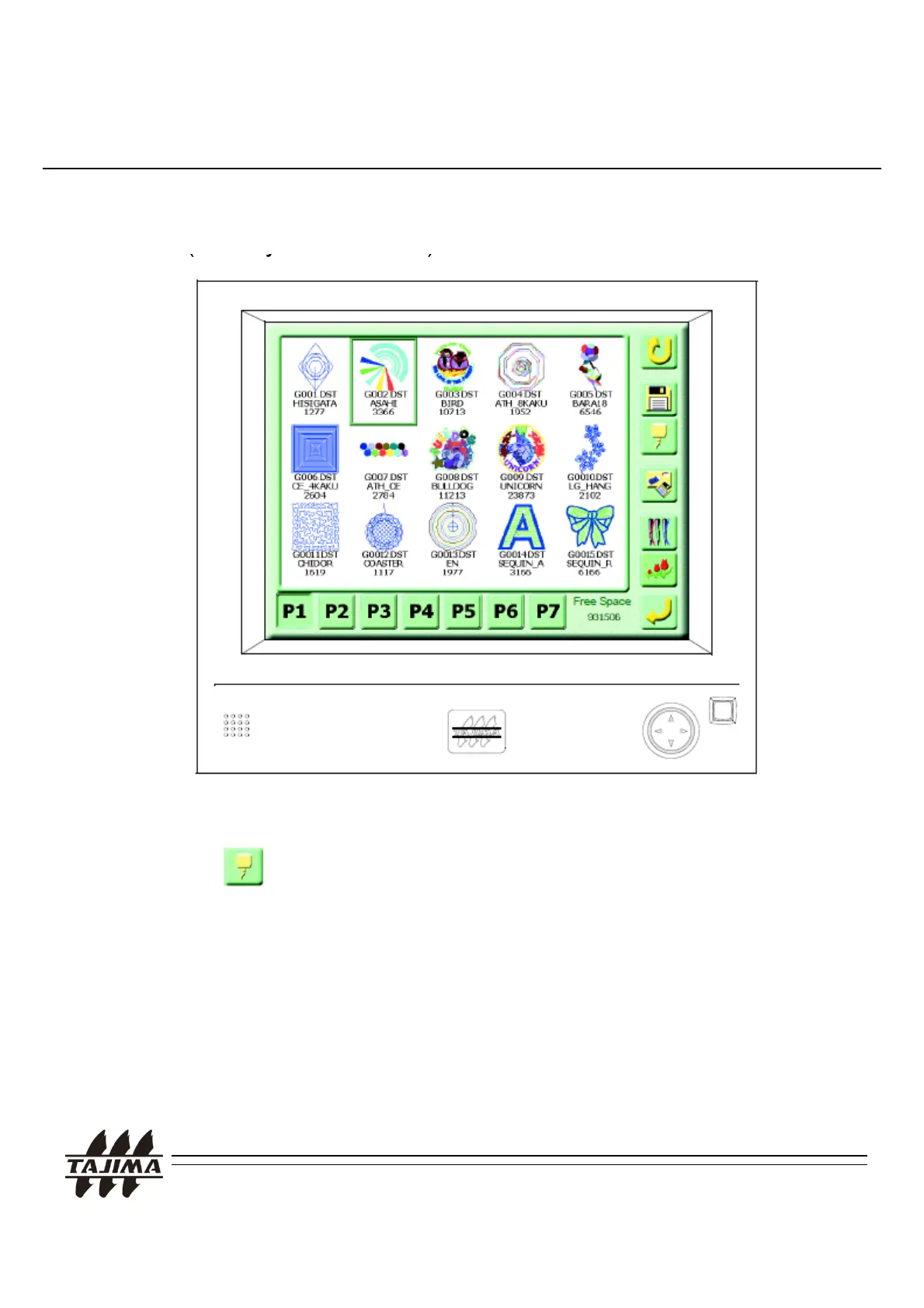
5. Calling the design at the machine
< Operation Panel >
1. When you press “A” key, the above screen will appear.
2. Press (Serial Cable Connection) key.
Remarks.
1. In case of Serial connection, you can select any communication Speed
(Baud Rate). But please check the value of the machine parameter setting.
3. Input the name of design, and press “SET” key.
4. After few seconds, design input completed.
TAJIMA USB Linker Manual
30
.
or more
eta
s, p
ease see t
e
nputt
ng
rom
er
a
onnect
ng
ev
ce
n
“TAJIMA User’s Manual“ of each machine.
3. Serial Port is located under FDD port.


 To Next Page