5-2. TAJIMA TMEG, TMLG Series
5. Calling the design at the machine
A
Data input
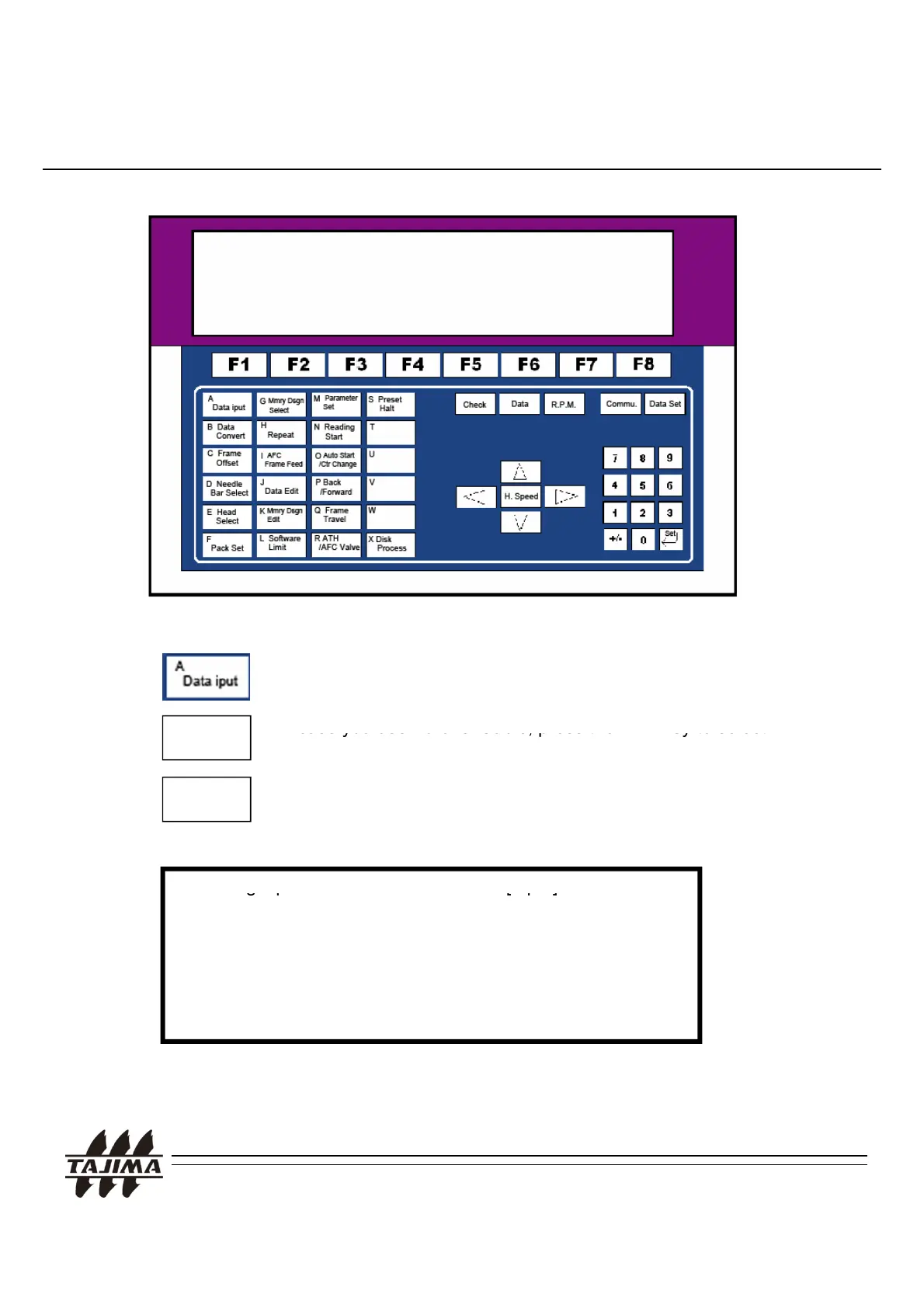
< TMEG Operation Panel>
Press “A DATA INPUT” Key on the menu. If the data set lamp is
on, terminate the data set.
In case you use Parallel Cable, press the
“
”
1. Callin
in
ut
In
ut
Then, set up the following in sequence:
ea
e
“Reader”
Serial I/F
In case you use Serial Cable, press the “F3” Key to select
“Serial I/F”.
2. Data code [Auto select]
3. Writing into memory [Yes]
4. Design number [ 1]
5. Design name [ * ]
Remarks:
1. “2. Data Code” -> Select (Auto select)
TAJIMA USB Linker Manual
24


 To Next Page