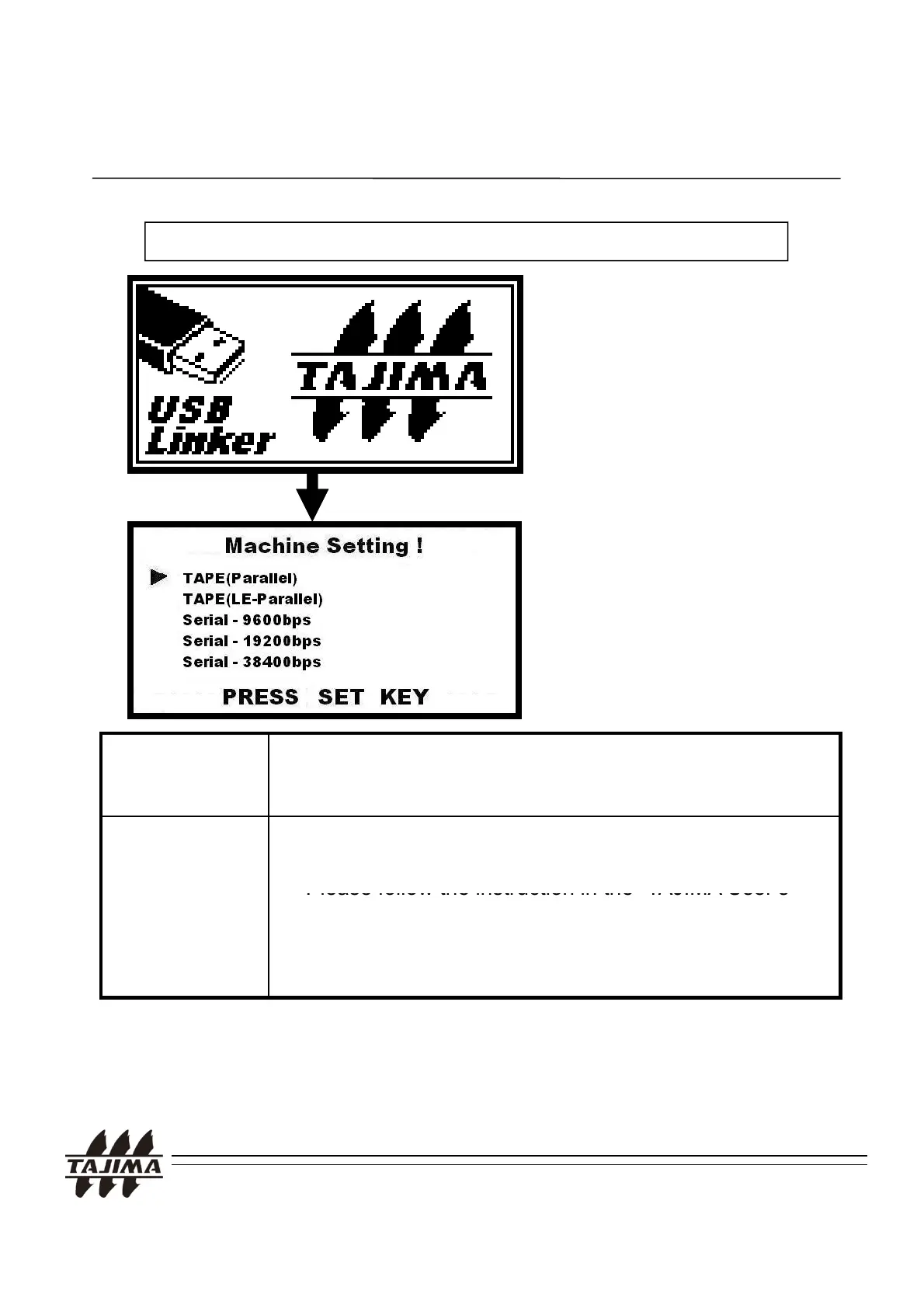
<Example> Setting the machine type ( PARALLEL ⇒ SERIAL)
4-5. Setting the machine type
4. Using the TAJIMA USB Linker
Press the UP and DOWN Key
simultaneously when the logo
.
Select the machine type
using the Cursor Key and
press the SET Key.
Parallel Cable TMEF, TMEG, TMLG, TME-DC, TMFD, TLFD, TMFX, TM
CE -> Parallel
TMLE -> LE-Parallel
Serial Cable
->Baud Rate
TMEG, TMLG, TME-DC, TMFD, TLFD -> 9,600bps
TMFX, TMCE, TMLH, TMEX-C, TEHX-C/TFHX(SOP)
->
Please follow the instruction in the
“
’
Remarks:
f the cable does not match the machine setting the design data can
Manual”.
TFKN(SOP), TEHX-C/TFHX/TFGN(LCD by Windows CE),
TEJT-C ->Please follow to the machine parameter setting.
TAJIMA USB Linker Manual
21
.
,
transferred to the machine.
2. The available cable and Baud rates (Communication Speed) are different,
depending on the machine type and the manufacturing period.


 To Next Page