IMPORTANT SAFETY INSTRUCTIONS
31 TASCAM CD-GT2
Using guitars and mics
select settings in the pop-up, and use the VALUE (+, –) keys to
adjust these settings.
BANK
Select bank 01–10 or BYPASS.
Using the PRESET item explained below, you can set a
preset effect for each bank. By making presets of settings that
you use frequently in each bank, you can quickly recall the
settings you desire just by switching through the banks. You
can save separate settings for each BANK for both GUITAR
and MIC input settings.
Select BYPASS if you do not want to use effects.
PRESET
Choose the effect preset that you want. Each preset has a
different combination of up to three effect modules.
Either guitar or mic presets are available depending on the
GUITAR/MIC input setting.
See the “Effect presets list” on page 39 for details about the
effect modules in each preset.
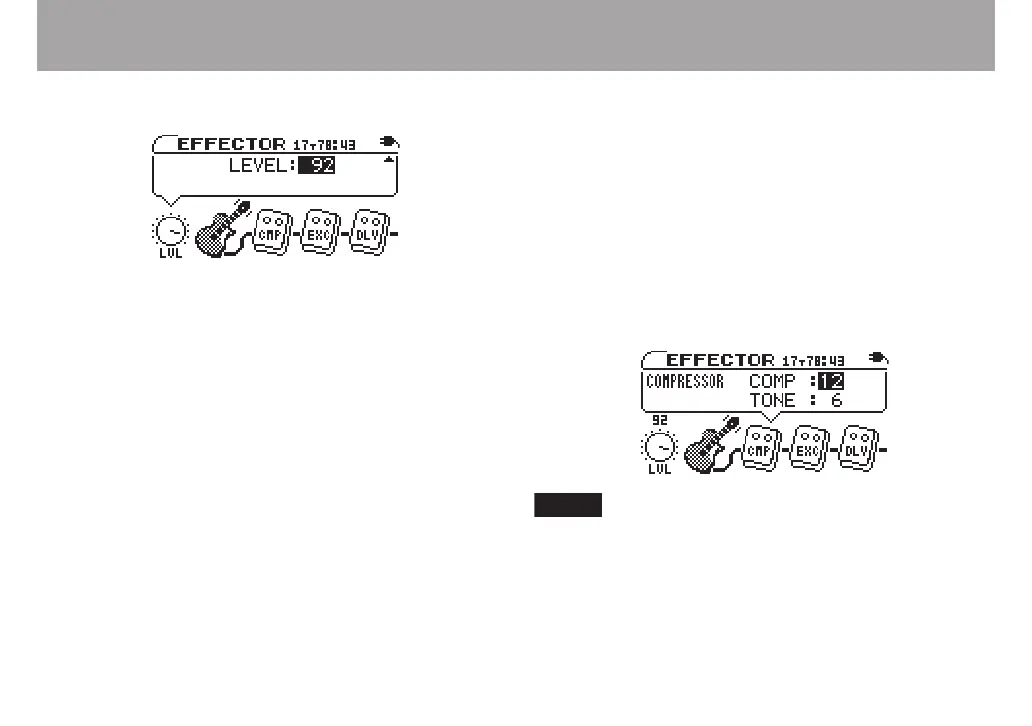
LVL knob
Adjusts the output level of the effect. Use the CURSOR (˙,
¥) keys to select the LVL knob and open the pop-up with the
level value highlighted. Use the VALUE (+, –) keys to adjust the
level setting between 0–100.
Effect modules
Use the CURSOR (˙, ¥) keys to select the module icons and
open a pop-up with parameter settings as shown in the gure
below. The parameters depend on the type of module. For
details about the parameters for each module type, see the
“Effect module parameter list” on page 42.
When the LVL knob or an effect module parameter is
selected, use the CURSOR (˙, ¥) keys to move between
modules and the CURSOR (§, ¶) keys to move between
settings.



 To Next Page