IMPORTANT SAFETY INSTRUCTIONS
33 TASCAM CD-GT2
Other functions
Stopping the metronome
Do one of the following:
Press the STOP key.
Turn the METRONOME item OFF on the SETUP &
MISC. screen.
Pressing any of the CD player operation keys will also
turn the metronome OFF.
Using the tuner
This device has a built-in tuner that can be used not only for
tuning a guitar, but also for outputting a tuning pitch that you
select.
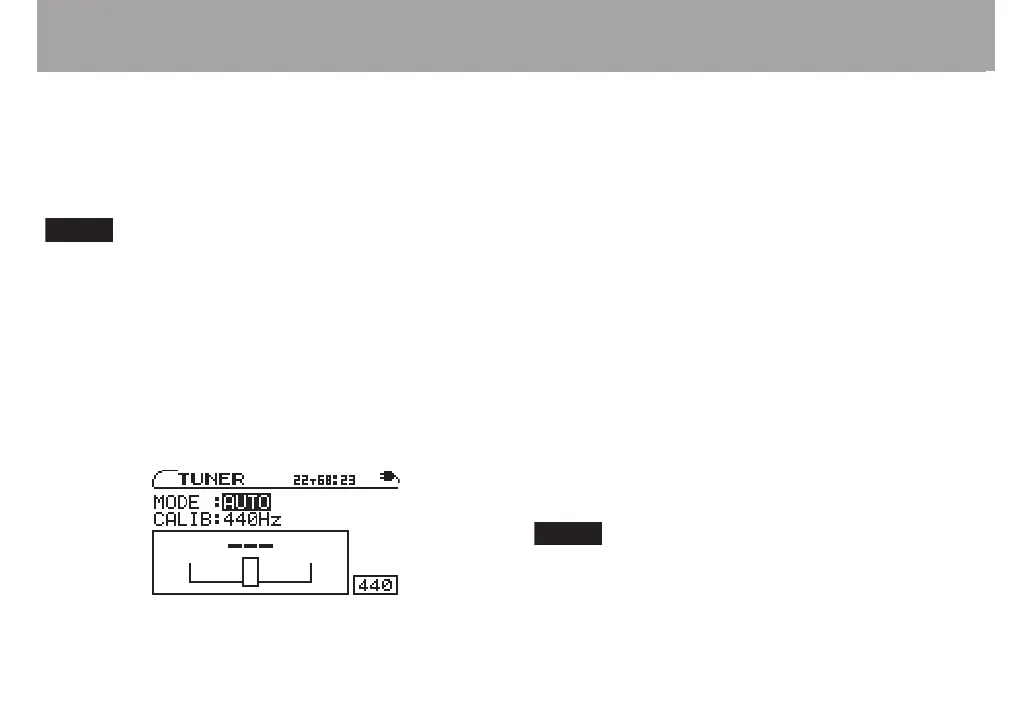
First, select the tuner mode.
1 Press the TUNER key to open the TUNER screen.
2 With the MODE value selected, use the VALUE (+, –)
keys to select one of the following tuner modes.
•
•
AUTO chromatic tuner
GUITAR guitar tuner
OSC. oscillator mode
These modes are explained separately in the following sections.
AUTO (chromatic tuner)
In this ordinary mode, you do not need to change settings for
each of the strings being tuned. The tuning meter and input
signal pitch appear on the screen (see the preceding gure).
(“---” appears when there is no input).
1 Connect a guitar to the GUITAR/MIC IN jack and play
the string that you want to tune. The pitch closest to
the string’s frequency appears at the top of the meter.
2 Tune the guitar roughly until the desired pitch name
is shown. Fine tune the guitar until the center of the
meter is highlighted. A bar appears to the left if the
tuning is too low and a bar appears to the right if it is
too high. The longer the bar is the more out of tune the
string is.
Use the CURSOR ¶ key to select CALIB, and the VALUE
(+, –) keys to set the standard frequency of middle A
between 435 Hz and 445 Hz.This setting affects all tuner
modes.
This setting affects all tuner modes.



 To Next Page