IMPORTANT SAFETY INSTRUCTIONS
35 TASCAM CD-GT2
Other functions
LEVEL
Adjust the output sound level between 0 and 100 with the
VALUE (–, +) keys.
CALIB
Set the standard frequency of middle A between 435 Hz and
445 Hz. This setting affects all tuner modes.
Using a footswitch
You can use a footswitch to control certain operations. A
footswitch can be set to control FLASH BACK, fast reverse or
fast forward, as well as to change the effect bank or turn the
effects ON and OFF.
Connecting a footswitch
Connect a TASCAM RC–30P or other momentary footswitch
(non-latching) to the FOOT SW jack on the front of the unit.
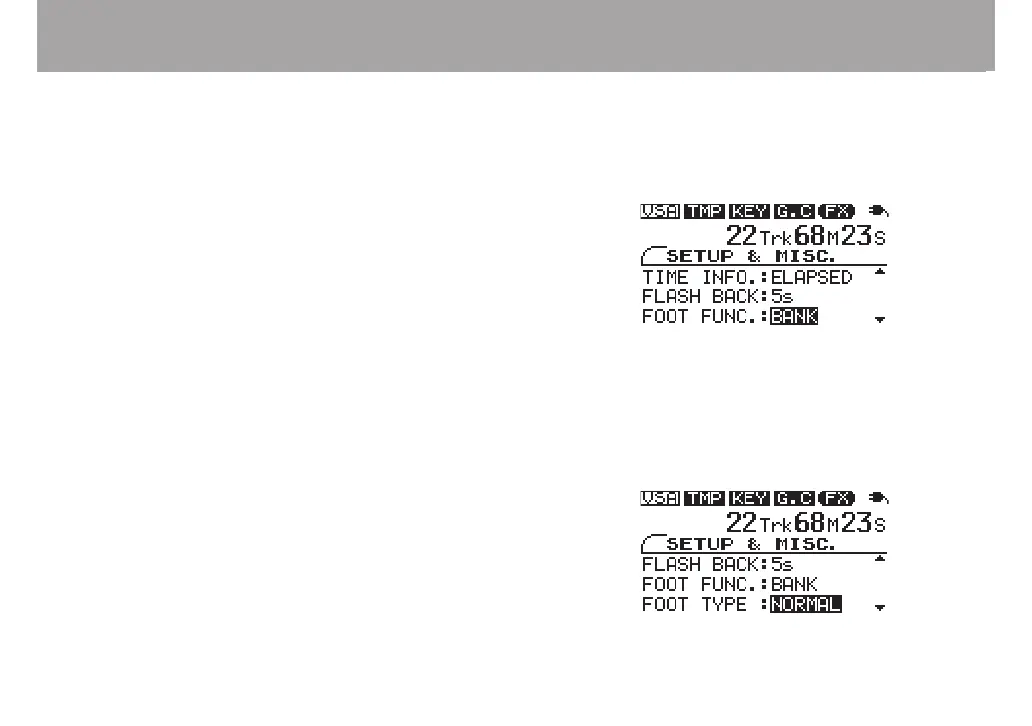
After connection, press the MISC. key to open the SETUP &
MISC. screen and make settings as necessary.
Setting the function
Use the CURSOR (§, ¶) keys to select FOOT FUNC, and the
VALUE (+, –) keys to choose one of the following functions.
FLASH functions like the FLASH BACK key
REW functions the same as the µ/∆ key
FF functions the same as the ≤/˚ key
BANK changes the effect bank
EFFECT turns the effects ON and OFF
Setting the polarity
When using a footswitch other than a TASCAM RC-30P, the
polarity might need to be changed. Use the CURSOR (§, ¶)
keys to select the FOOT TYPE item and the VALUE (+, –)
keys to select NORMAL or INVERT according to the type of
footswitch used.



 To Next Page