30 TASCAM CD-GT2
IMPORTANT SAFETY PRECAUTIONS
Using guitars and mics
Use the following procedures to adjust the CD playback signal
and input signal levels independently to achieve the mix
balance that you desire.
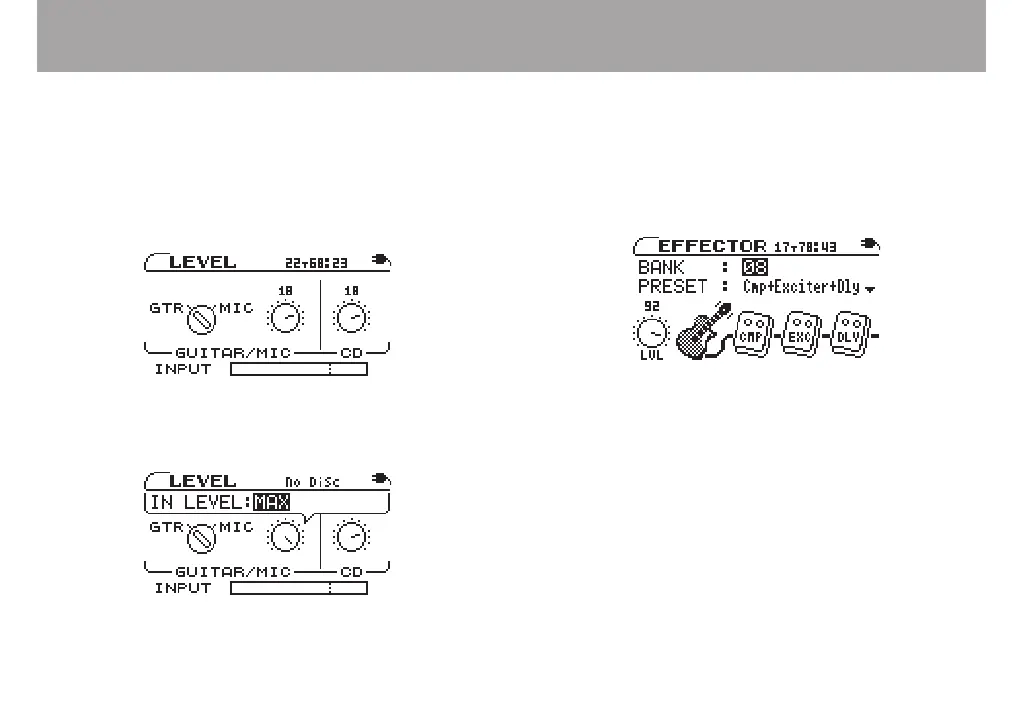
1 Press the LEVEL key to open the LEVEL screen.
The GUITAR/MIC and CD knob icons appear. These adjust
the levels of the input signal from the GUITAR/MIC IN jack
and the CD playback signal.
2 Use the CURSOR (˙, ¥) keys to select the knob that
you want to adjust. The level value of the selected knob
appears as a pop-up in inverse.
3 Use the VALUE (+, –) keys to adjust the level. The level
knob icon rotates as you change the value.
Using built-in effects
This device has a built-in multi-effects processor.
Depending on the INPUT setting (GUITAR/MIC IN jack input
settings) on the LEVEL screen, either the guitar or mic effects
are usable. (See “Setting the input” on page 29.)
Press the EFFECT key to open the EFFECTOR screen.
On the EFFECTOR screen, use the CURSOR (§, ¶) keys to
select items and the VALUE (+, –) keys to adjust settings in the
same way as on other screens. Use the CURSOR (˙, ¥) keys
to move between level knobs and effect modules.
As shown in the gure above, in addition to BANK and
PRESET, the EFFECTOR screen also shows the LVL (level)
knob and icons for up to three guitar or microphone effect
modules. The guitar or microphone icon shows whether
the effects that can currently be used are for a guitar or mic
and have no settings, but all other icons contain adjustable
settings. The types of effect modules change depending on the
GUITAR /MIC IN jack input setting.
When you select the LVL knob or effect modules, a pop-up
appears for the setting items. Use the CURSOR (§, ¶) keys to



 To Next Page