EasyManua.ls Logo

Tascam DA-88 - Error Message Reference; Warning Indicator Lights

Tascam DA-88
26 pages
Print Icon
To Previous Page IconTo Previous Page

Loading...
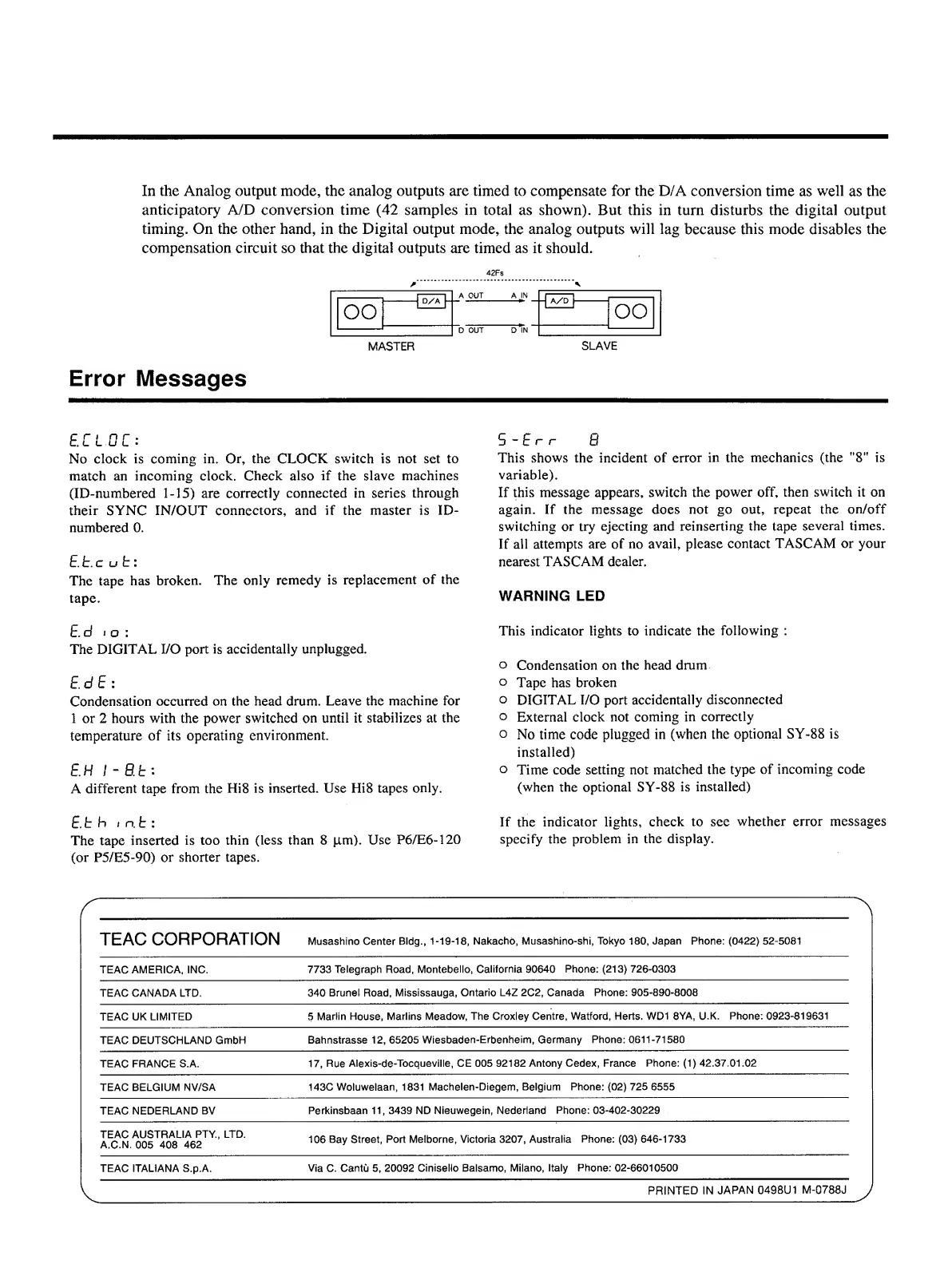
In
the
Analog
output
mode,
the
analog
outputs
are
timed
to
compensate
for
the
D/A
conversion
time
as
well
as
the
anticipatory
A/D
conversion
time
(42
samples
in
total
as
shown).
But
this
in
turn
disturbs
the
digital
output
timing.
On
the
other
hand,
in
the
Digital
output
mode,
the
analog
outputs
will
lag
because
this
mode
disables
the
compensation
circuit
so
that
the
digital
outputs
are
timed
as
it
should.
oo
42Fs
A
OUT
A
D
OUT
D
IN
OO
MASTER
SLAVE
Error
Messages
E.CL0C:
No
clock
is
coming
in.
Or,
the
CLOCK
switch
is
not
set
to
match
an
incoming
clock.
Check
also
if
the
slave
machines
(ID-numbered
1-15)
are
correctly
connected
in
series
through
their
SYNC
IN/OUT
connectors,
and
if
the
master
is
ID-
numbered
0.
E.E.c
u
t:
The
tape
has
broken.
The
only
remedy
is
replacement
of
the
tape.
E.d
i
o
:
The
DIGITAL
I/O
port
is
accidentally
unplugged.
E.d
E
:
Condensation
occurred
on
the
head
drum.
Leave
the
machine
for
1
or
2
hours
with
the
power
switched
on
until
it
stabilizes
at
the
temperature
of
its
operating
environment.
E.H
I-BE:
A
different
tape
from
the
Hi8
is
inserted.
Use
Hi8
tapes
only.
E.t
h
i
n.E
:
The
tape
inserted
is
too
thin
(less
than
8
pm).
Use
P6/E6-120
(or
P5/E5-90)
or
shorter
tapes.
5
-Err
8
This
shows
the
incident
of
error
in
the
mechanics
(the
”8"
is
variable).
If
this
message
appears,
switch
the
power
off,
then
switch
it
on
again.
If
the
message
does
not
go
out,
repeat
the
on/off
switching
or
try
ejecting
and
reinserting
the
tape
several
times.
If
all
attempts
are
of
no
avail,
please
contact
TASCAM
or
your
nearest
TASCAM
dealer.
WARNING
LED
This
indicator
lights
to
indicate
the
following
:
o
Condensation
on
the
head
drum
o
Tape
has
broken
o
DIGITAL
I/O
port
accidentally
disconnected
o
External
clock
not
coming
in
correctly
o
No
time
code
plugged
in
(when
the
optional
SY-88
is
installed)
o
Time
code
setting
not
matched
the
type
of
incoming
code
(when
the
optional
SY-88
is
installed)
If
the
indicator
lights,
check
to
see
whether
error
messages
specify
the
problem
in
the
display.
TEAC
CORPORATION
Musashino
Center
Bldg.,
1-19-18,
Nakacho,
Musashino-shi,
Tokyo
180,
Japan
Phone:
(0422)
52-5081
TEAC
AMERICA.
INC.
7733
Telegraph
Road,
Montebello,
California
90640
Phone:
(213)
726-0303
TEAC
CANADA
LTD.
340
Brunei
Road,
Mississauga,
Ontario
L4Z
2C2,
Canada
Phone:
905-890-8008
TEAC
UK
LIMITED
5
Marlin
House,
Marlins
Meadow,
The
Croxley
Centre,
Watford,
Herts.
WD1
8YA,
U.K.
Phone:
0923-819631
TEAC
DEUTSCHLAND
GmbH
Bahnstrasse
12,
65205
Wiesbaden-Erbenheim,
Germany
Phone:
0611-71580
TEAC
FRANCE
S.A.
17,
Rue
Alexis-de-Tocqueville,
CE
005
92182
Antony
Cedex,
France
Phone:
(1)
42.37.01.02
TEAC
BELGIUM
NV/SA
143C
Woluwelaan,
1831
Machelen-Diegem,
Belgium
Phone:
(02)
725
6555
TEAC
NEDERLAND
BV
Perkinsbaan
11,3439
ND
Nieuwegein,
Nederland
Phone:
03-402-30229
TEAC
AUSTRALIA
PTY.,
LTD.
A.C.N.
005
408
462
106
Bay
Street,
Port
Melborne,
Victoria
3207,
Australia
Phone:
(03)
646-1733
TEAC
ITALIANA
S.p.A.
Via
C.
Cantu
5,
20092
Cinisello
Balsamo,
Milano,
Italy
Phone:
02-66010500
V
PRINTED
IN
JAPAN
0498U1
M-0788J

Other manuals for Tascam DA-88

Related product manuals