EasyManua.ls Logo

Tascam DA-88 - Punch-in Recording; Auto Punch In and Out

Tascam DA-88
26 pages
Print Icon
To Next Page IconTo Next Page
To Previous Page IconTo Previous Page
Loading...
PUNCH-IN
(INSERT)
RECORDING
â–¡
Auto
Punch
In
And
Out
First
check
to
see
that
the
source
is
connected
to
the
correct
input
jack.
If
you're
punching
into
a
track
just
recorded,
there
is
no
need
of
repatching.
REHEARSAL
FOR
AUTO
PUNCH
IN
AND
OUT
During
rehearsal,
what
you
hear
in
the
monitor
mix
and
read
on
the
level
meters
will
be
the
same
as
during
recording,
but
any
signal
won't
be
recorded
on
tape.
So
you
can
rehearse
your
punch-in
as
many
times
as
you
need
without
destroying
the
original
take
at
all.
Initial
Setting
of
Punch
In
and
Out
Points
1.
Locate
the
tape
to
a
point
lower
than
the
point
where
you
want
the
track
to
punch
into
record.
2.
Put
the
punch-in
track
into
Ready
mode
by
pressing
its
REC
FUNCTION
switch.
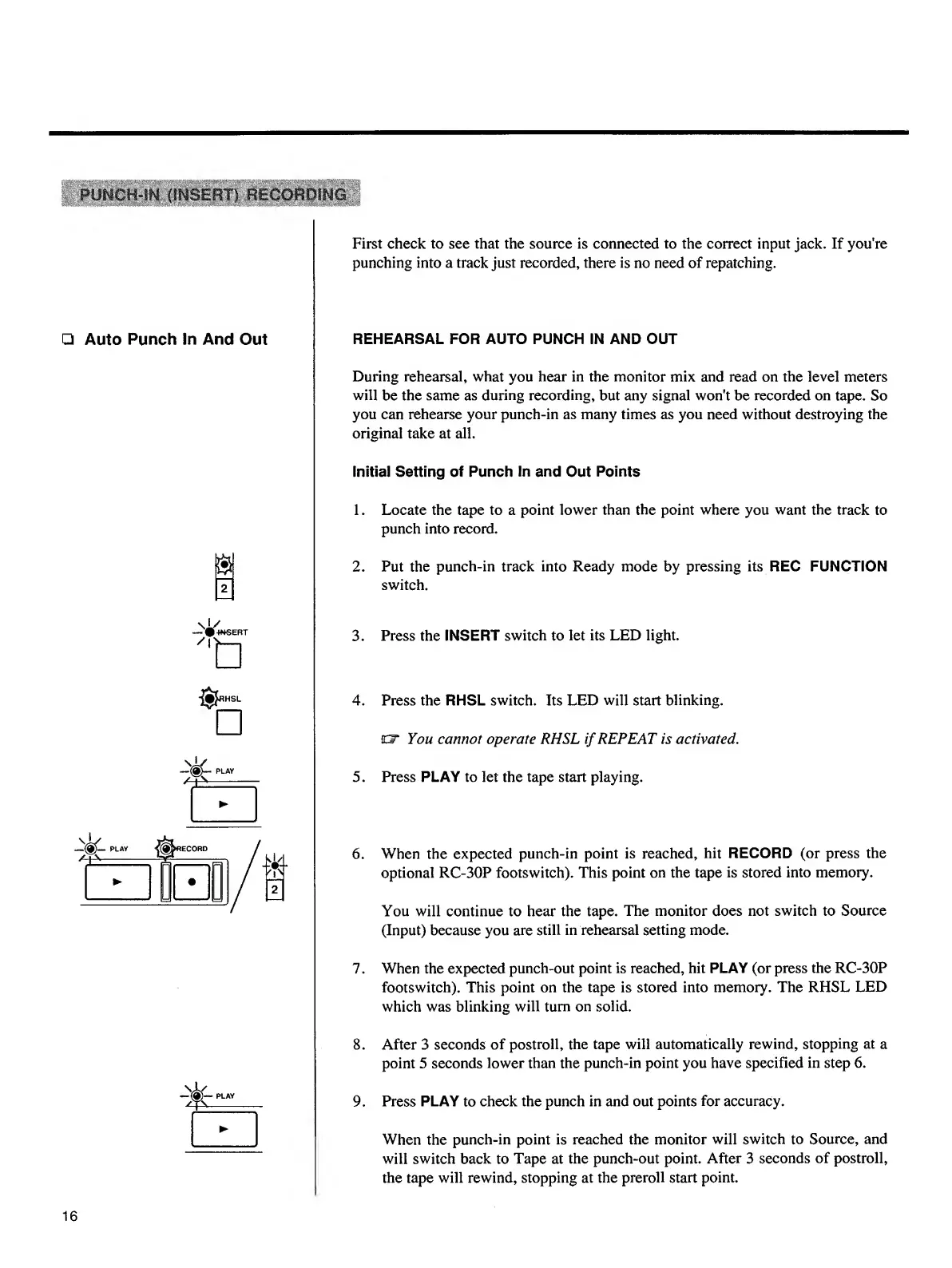
3.
Press
the
INSERT
switch
to
let
its
LED
light.
4.
Press
the
RHSL
switch.
Its
LED
will
start
blinking,
cr
You
cannot
operate
RHSL
if
REPEAT
is
activated
.
5.
Press
PLAY
to
let
the
tape
start
playing.
6.
When
the
expected
punch-in
point
is
reached,
hit
RECORD
(or
press
the
optional
RC-30P
footswitch).
This
point
on
the
tape
is
stored
into
memory.
You
will
continue
to
hear
the
tape.
The
monitor
does
not
switch
to
Source
(Input)
because
you
are
still
in
rehearsal
setting
mode.
7.
When
the
expected
punch-out
point
is
reached,
hit
PLAY
(or
press
the
RC-30P
footswitch).
This
point
on
the
tape
is
stored
into
memory.
The
RHSL
LED
which
was
blinking
will
turn
on
solid.
8.
After
3
seconds
of
postroll,
the
tape
will
automatically
rewind,
stopping
at
a
point
5
seconds
lower
than
the
punch-in
point
you
have
specified
in
step
6.
9.
Press
PLAY
to
check
the
punch
in
and
out
points
for
accuracy.
16
When
the
punch-in
point
is
reached
the
monitor
will
switch
to
Source,
and
will
switch
back
to
Tape
at
the
punch-out
point.
After
3
seconds
of
postroll,
the
tape
will
rewind,
stopping
at
the
preroll
start
point.

Other manuals for Tascam DA-88

Related product manuals