18
TASCAM DP-006
2 – Quick Start Guides
Adjusting the input level and monitoring
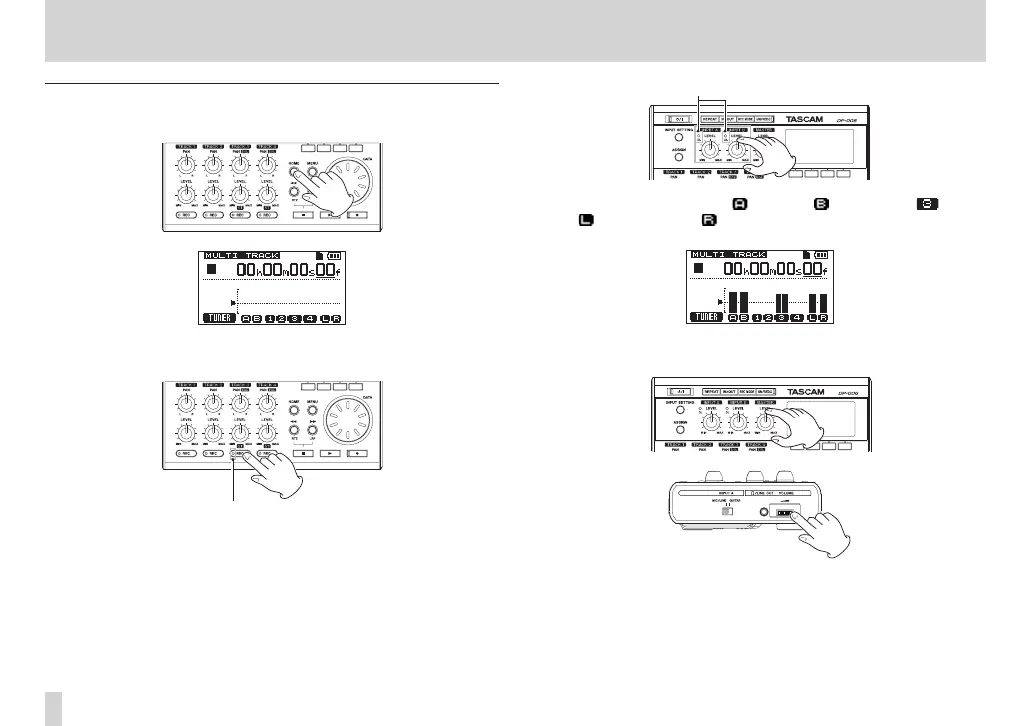
1. Press the HOME button to reopen the Home Screen.
2. Press the TRACK 3 REC button to put the track into recording standby.
The REC indicator blinks when in standby.
3. Use the INPUT A and B LEVEL knobs to adjust the input levels of the
internal mics.
Set the LEVEL knobs so that the loudest sounds do not cause the INPUT
A and B OL indicators to light.
When you play the guitar, the (INPUT A), (INPUT B) and (TRACK
3), (left channel) and (right channel) level meters on the display
move.
Turn up the MASTER LEVEL knob and the VOLUME dial on the left side
of the unit to hear the guitar sound through the headphones.










 To Next Page