TASCAM DP-006
55
6 – Basic Recording
Assigning inputs to stereo tracks (Tracks 3 and 4
only)
1. On the
TRACK TYPE
screen, set
TRACK 3
and/or
TRACK 4
to
STEREO
. (See “Setting the track type (Tracks 3 and 4 only)” on page 54.)
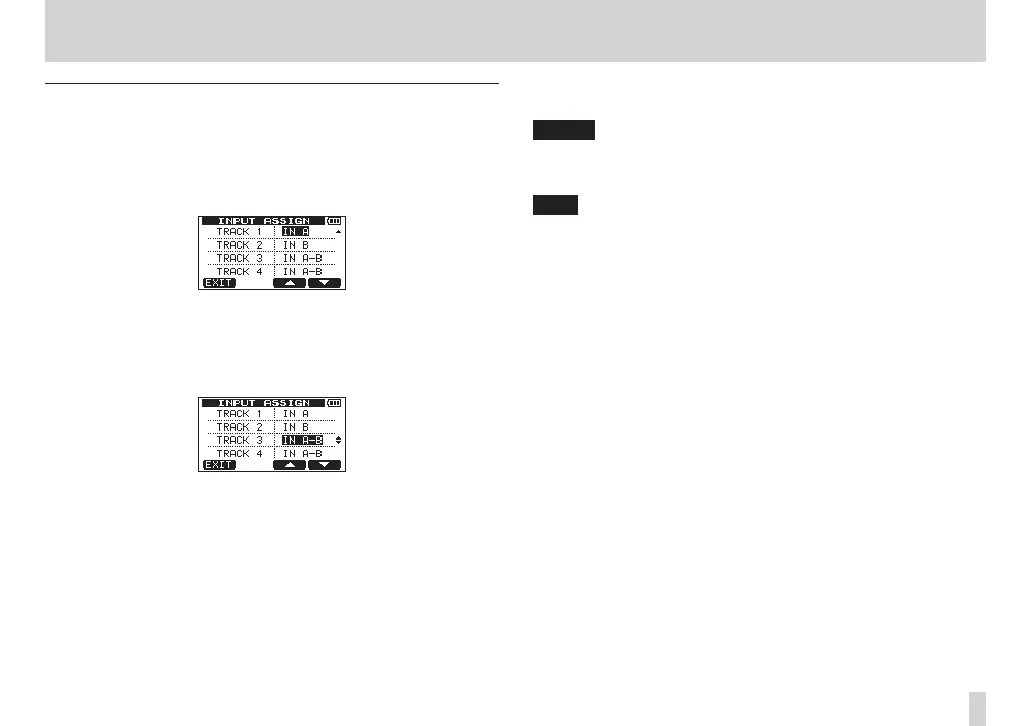
2. When the recorder is stopped, press the ASSIGN button to open the
INPUT ASSIGN
screen.
3. Use the F3 [5] button and F4 [b] buttons to select (highlight) the
setting value for
TRACK 3
or
TRACK 4
.
4. Use the DATA wheel to set the input source of the
TRACK 3
or
TRACK
4
stereo track.
Setting values:
IN A-A
,
IN A-B
(default value),
IN B-A
,
IN B-B
5. After making the setting, press the HOME button to return to the Home
Screen.
NOTE
Both left and right channels of stereo tracks (TRACK 3 and/or TRACK 4)
will be recorded to at the same time. Recording to just the left or just the
right channel is not possible.
TIP
You can record to track 1 and track 2 separately and then clone (copy)
them together as a stereo pair to the left and right channels of track 3 or
4. In this way, you can record their left and right channels separately. (See
“CLONE TRACK (track duplication)” on page 69.)










 To Next Page