16
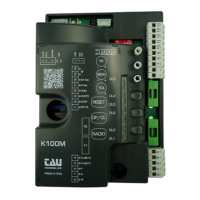
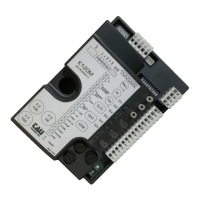
K580M
2 2 / 4 STROKE
On
switch 4).
Off
in the same conditions, the same command sequence causes the
3
OPENING
PHOTOCELLS
OPERATION
On
during opening, cutting photocell stops the gate until the obstacle is
Off during opening, the photocell does not cut in.
4
NO
REVERSE
On
Off
the open-close pushbutton reverses the direction of movement of the
gate even while it is opening.
5
PRE-
FLASHING
On
Off
6
PHOTOCELL
TEST
On
Off
Note: to be used when the photocells are not used.
7 - 8
Dip 7 Dip 8 Function
Off Off
Gate contact open: The contact activates on opening the gate and remains
once the gate has completed its closure movement.
Off On
Bistable function active: the radio control impulse causes the contact to activate
and remain active until the subsequent impulse.
On Off
Monostable function active for 2 sec.: the radio control impulse causes the
On On
Monostable function active for 180 sec.: the radio control impulse causes the
9
GATE
TYPE
On setting for heavy gates
Off setting for standard gates
10
OPENING
DIRECTION
SETUP
On
Off
11
ENCODER
On
Off
NOTE: moving DIP 11 from ON to OFF (or vice versa), learning process has to be
initialized again.
12
SENSITIVE
EDGE
On
Off
If the obstacle detection function (which can be set through trimmers FR and SENS) gets activated
-
noeuvre, the gate opens fully.
WARNING: the control panel logics may interpret mechanical friction as an obstacle.
ENGLISH



 To Next Page