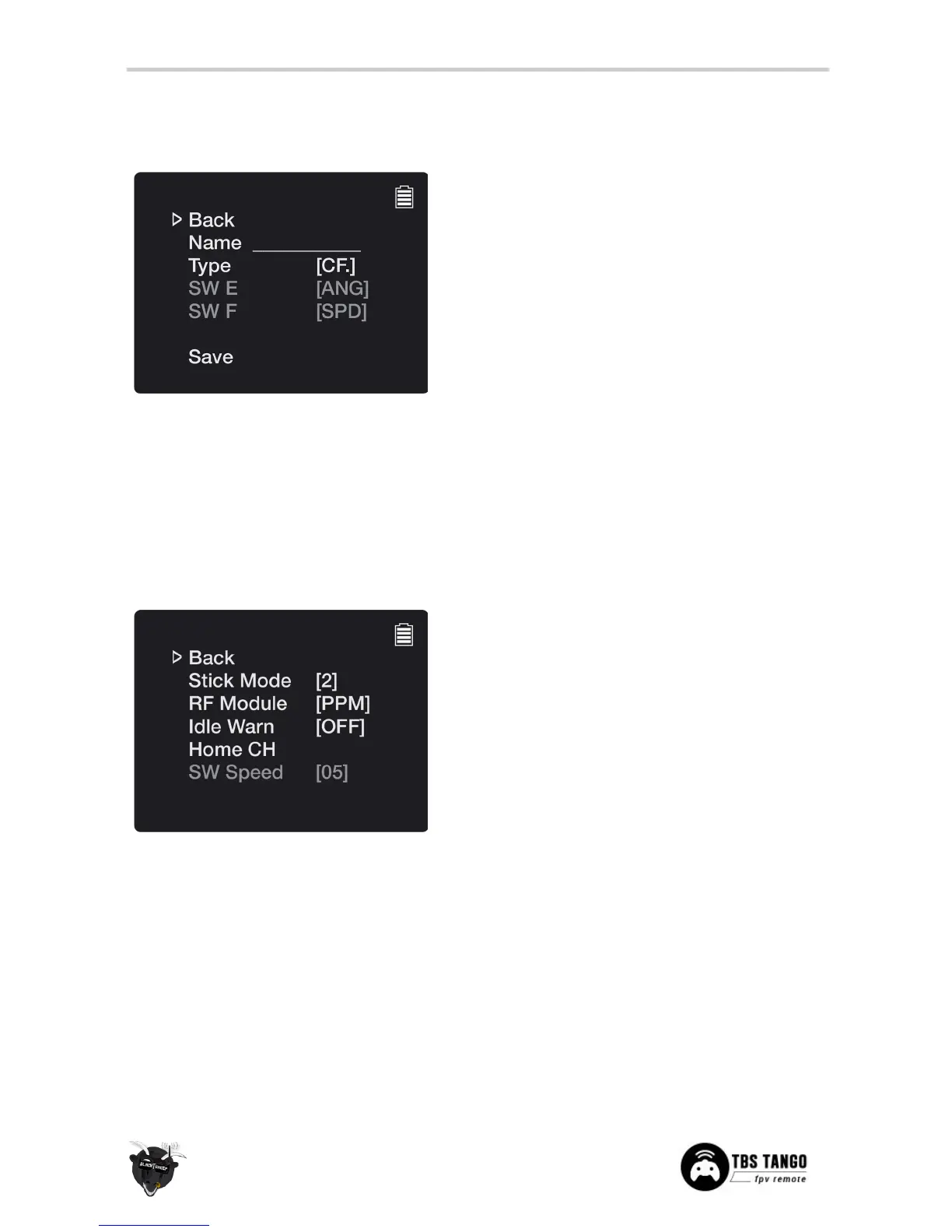
Specific profile for the model you are controlling
• Back - Return to previous menu
• Name - Unique name for the model profile
• Type
[CleanFlight, DJI NAZA, PixHawk,
OP-Taulabs]
- Flight controller used on the
model, allows further switch/dial mapping on
supported FCs (DJI/PX)
• SW E
[ANG, SPD]
- (DJI, PX) Specify the function
mapped to the SW E dial on the remote, angle
(ANG) or speed (SPD)
• SW F
[ANG, SPD]
- (DJI, PX) Specify the function
mapped to the SW F dial on the remote, angle
(ANG) or speed (SPD)
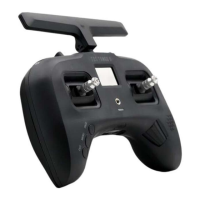
Specifics about the remote itself
• Back - Return to previous menu
• Stick Mode
[1 to 4]
- Stick allocation mode,
maps throttle, yaw, pitch and roll to the gimbals
- Mode 2 is most common
• RF Module
[Standard PPM (10Ch), TBS Crossfire
(10Ch), FrSky XJT (8Ch)]
- Radio module plugged
into the radio, dictates the communication
protocol and PPM channel size
• Idle Warn
[ON, 5 to 30min, OFF]
- When the
remote is left powered on without any input
after a specific amount of time, sound an alarm
• Home CH
[Band, Channel (1 to 8)]
- Default
video channel to tune into after long pressing
the UP-button (VRX controls)
• SW Speed
[1 to 15]
- Set the speed of SW E and
SW F dial, if SW is set to angle (ANG)


 To Next Page