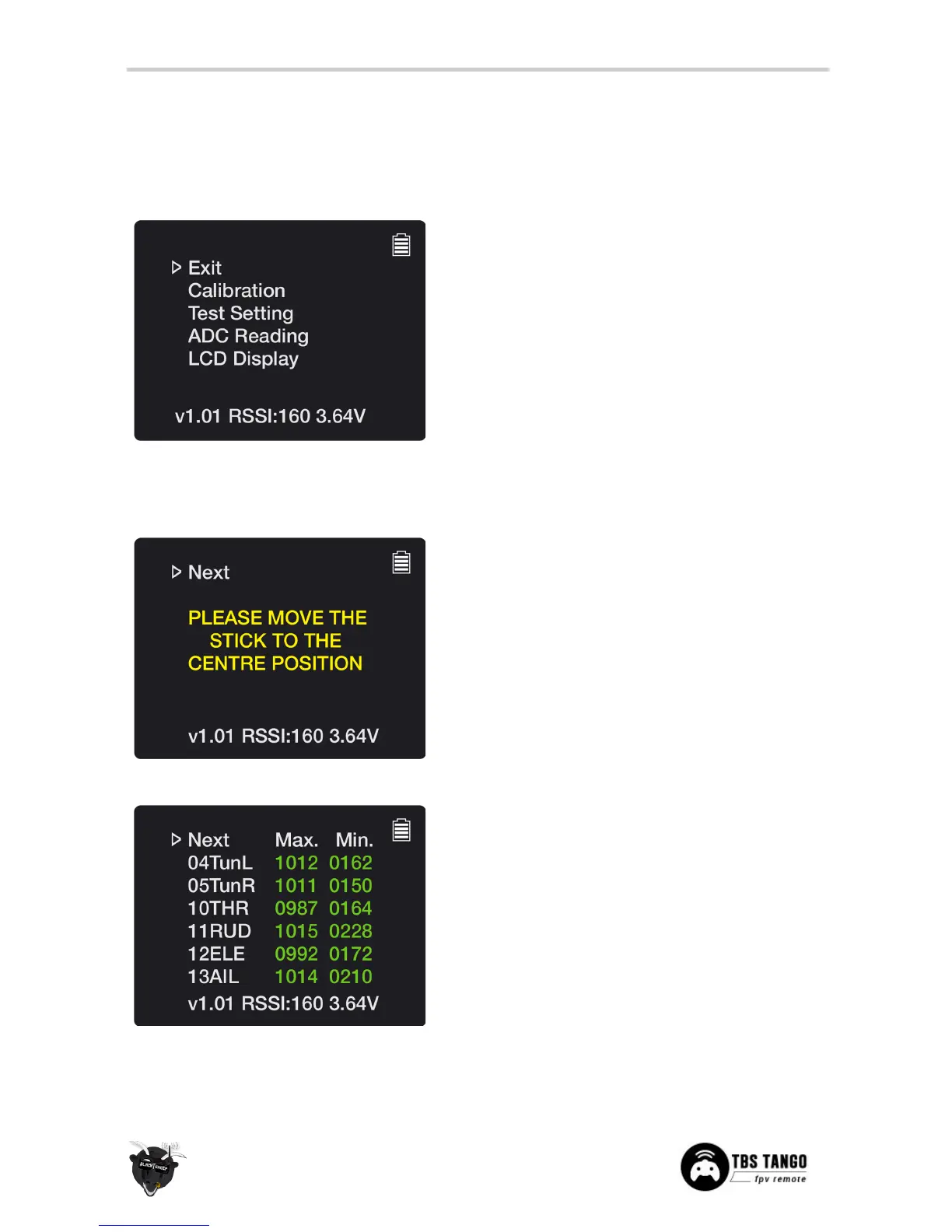
Main menu for the factory mode
• Back - Exit out of the factory mode
• Calibration
- Calibrate the end-points of the
sticks, dials and switches
• Test Setting - Menu display update rate and
discard accelerated rocker-switch behaviour
• ADC Reading - Raw values of the input sensors
and PPM output
• LCD Display - Change the boot screen and
check the display characters
Re-calibrate the end-points for all the physical inputs on
the remote.
Center all the sticks. You usually only need to center the
throttle stick.
• Next - To to the next step in the procedure
Move both sticks to their extreme ends until the max.
and min. value turns green for each input. The “TunL”
and “TunR” presents the spring-dials E and F.
• Next - To the next step in the procedure


 To Next Page