Configuration menu
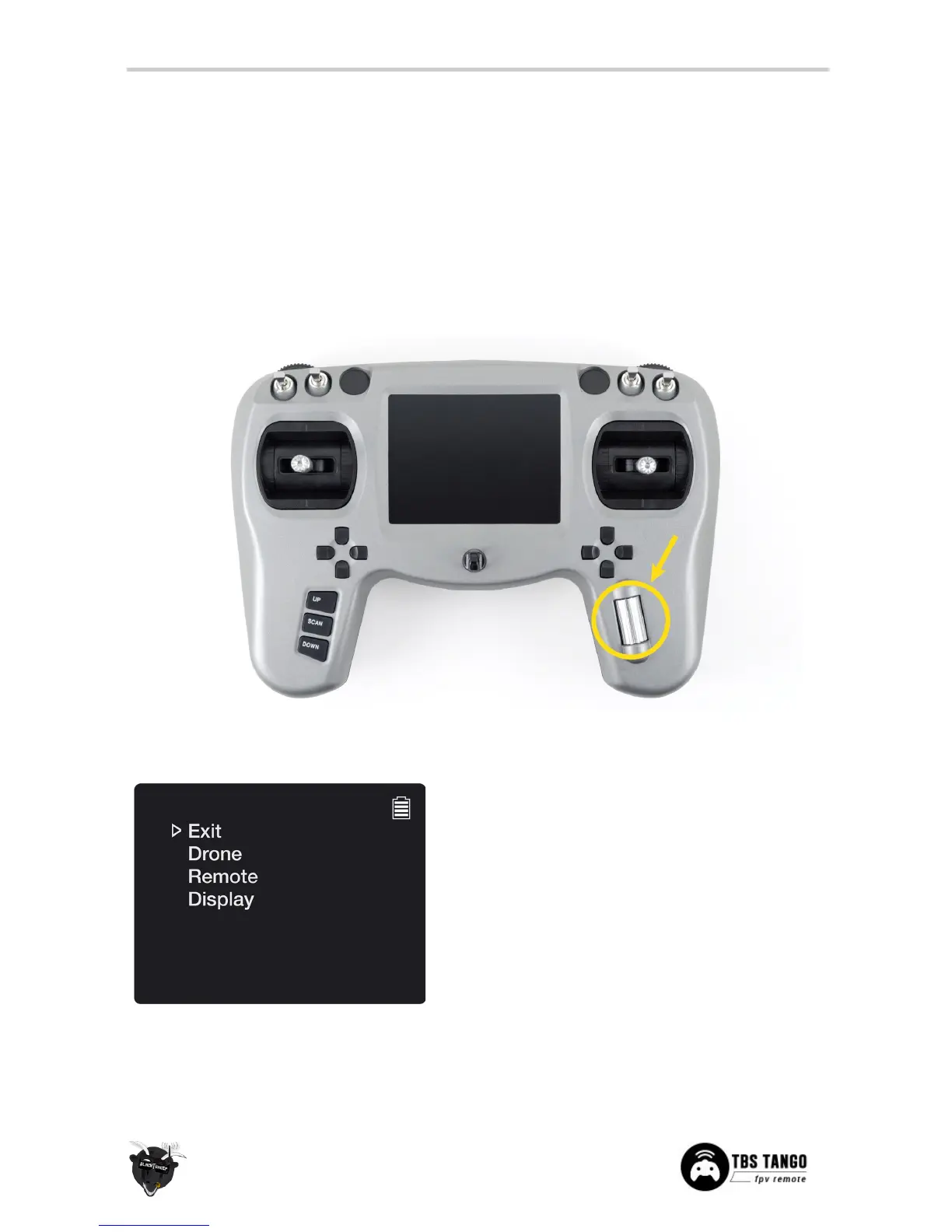
Changing settings on the TBS TANGO is done using the LCD display and controlled using the rocker-switch
and VRX buttons.
To enter and navigating the configuration menu system:
• Enter configuration menu - long press on the rocker-switch, 3 seconds
• Menu navigation - scroll back and forth using the rocker-switch
• Select/enter change - short press the rocker-switch
• Back/confirm change - long press the rocker-switch
Main menu
Main configuration menu when entering the system
• Exit - Leave menu system
• Drone - Models and details about the remote
flight system (name, flight control, switch map)
• Remote - Everything related to the remote
(stick mode, RF module, idle alarm, default
channel)
• Display - Fine tune the visual parameters
• Battery - The battery icon is permanently
shown to indicate how much power is left, 0 to
4 bars - see battery protection section


 To Next Page