EasyManua.ls Logo

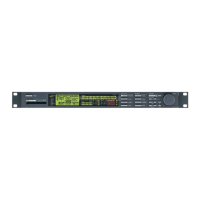
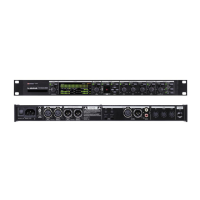
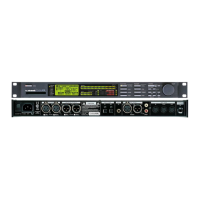
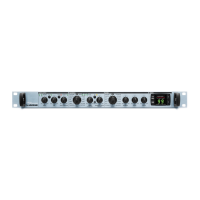
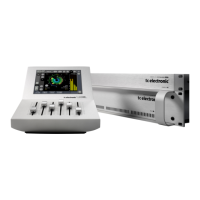
TC Electronic Finalizer PLUS/96K - User Manual

TC Electronic Finalizer PLUS/96K
56 pages
Print Icon
To Next Page IconTo Next Page
Loading...
USER’S MANUAL
Finalizer PLUS/96K
STUDIO MASTERING PROCESSOR

Table of Contents

Question and Answer IconNeed help?

Do you have a question about the TC Electronic Finalizer PLUS/96K and is the answer not in the manual?

TC Electronic Finalizer PLUS/96K Specifications

General IconGeneral
BrandTC Electronic
ModelFinalizer PLUS/96K
CategoryComputer Hardware
LanguageEnglish

Summary

Introduction to the Finalizer

Getting Started

Initial welcome and overview of the Finalizer PLUS/96.

Basic Operation of the Finalizer

Recalling Presets

How to load and preview factory or user presets.

Storing User Presets

Procedures for saving custom presets and managing names.

Signal Flow Diagram

Audio Path Explanation

Visual representation of the signal flow through the device.

Finalizer Setup Examples

Preset Management: Recall

How to Recall a Preset

Step-by-step guide to selecting and loading presets.

Preset Management: Store

Saving and Naming Presets

Procedures for storing presets with new or existing names.

Main Page: Input Settings

Input Page 1 Controls

Overview of mode selector and sample rate conversion settings.

Input Sample Rate Conversion

Detailed explanation of SRC functionality for digital inputs.

Main Page: Input Details

Digital Input Format Options

Supported digital input types and their configuration.

Sample Rate Modes

Explanation of sample rate modes and up/down sampling.

Main Page: Inserts Overview

Dynamic EQ Functionality

Parametric EQ with dynamic control for frequency adjustments.

Main Page: EQ and Inserts

Main Page: Normalizer and Clipper

Normalizer Level Optimization

Optimizing signal level and headroom using the Normalizer.

Clipper Functionality

Eliminating overshoots with soft or hard clipping options.

Main Page: Expander Controls

Main Page: Expander Operation

Noise Reduction with Expander

How to use the Expander for noise reduction.

Main Page: Compressor Controls

Main Page: Compressor Operation

Compressor Functionality

How the compressor reduces dynamic range and adds punch.

Main Page: Compressor Advanced

Main Page: Limiter Controls

Main Page: Limiter Operation

Limiter Functionality

How the limiter prevents overshoots and controls peak levels.

Main Page: Output Settings

Dither for Digital Audio

Importance and application of dither for digital audio quality.

Tools: Digital I;O Status

Wizard Setup Guide

Automating Finalizer Settings

Guide to using the Wizard for automatic setup of key parameters.

Compare Functionality

Reset Page Functions

Overview of Reset Options

Summary of reset functions like Load User Default and Reset System.

Technical Specifications: Finalizer PLUS

Digital and Analog I;O Specifications

Detailed specs for digital/analog interfaces and formats.

Technical Specifications: Finalizer 96

Finalizer 96 I;O Specifications

Detailed specs for Finalizer 96 digital/analog interfaces.

MIDI Implementation Chart

MIDI Continuous Controllers

Self-Test Procedures

Hardware Test Execution

Procedures for testing keys, display, I/O, and other hardware.

Appendix: Tutorial

Finalizer Workflow Guide

Step-by-step tutorial for using the Finalizer's main features.

Appendix: Tutorial Continued

Troubleshooting Common Issues

Resolving Operational Problems

Solutions for issues like no power, no input, or no sound.

Preset List

Master Fader Operation

Related product manuals