114-94438 REV C1
Step 11
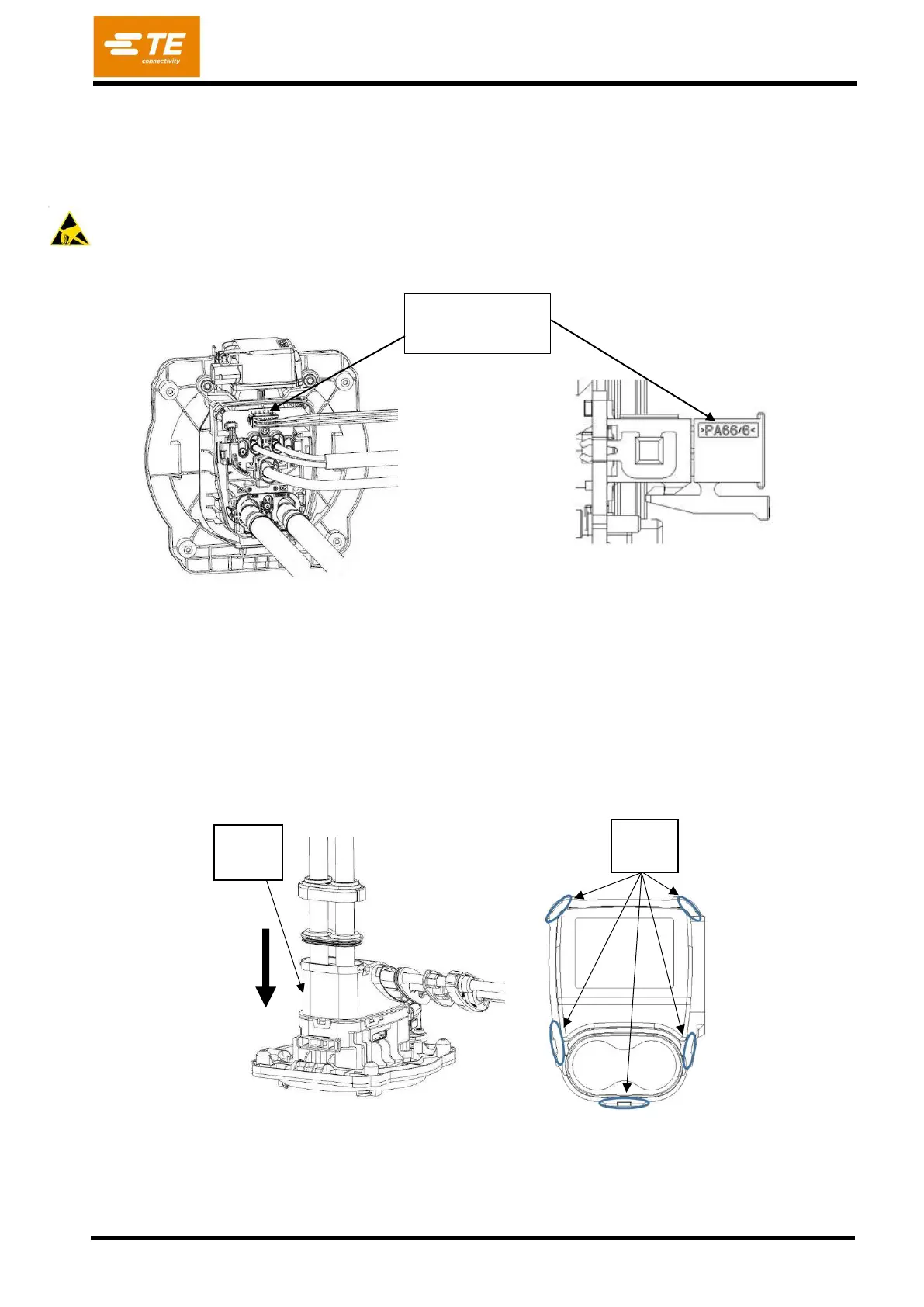
Connect Micro Mate-N-Lok Connector to PCB-Header. Ensure that hook is properly engaged with the
mating part in PCB (figure 44).
ESD safety required - The printed circuit boards are static sensitive devices, which can be damaged if
touched without the necessary electrostatic discharge (ESD) precautions. During handling of the open
inlet assembly ESD safety is required
Step 12
Assemble the CABLE EXIT [Pos. 6] (with radial seal [Pos. 5]) to the Inlet Housing [Pos. 1]
(Figure 45).
Press CABLE EXIT down at specified faces.
Ensure that all 5 hooks are properly engaged. Typical press-on-force = 250N; max. press-on-force =
500N
Micro Mate N Lok
Connector


 To Next Page