EasyManua.ls Logo

Teac A-6010GSL - Record Amplifier Performance; Bias Trap Adjustment; Bias Adjustment

Teac A-6010GSL
73 pages
Print Icon
To Next Page IconTo Next Page
To Previous Page IconTo Previous Page
Loading...
23
RECORD
AMPLIFIER
PERFORMANCE
IMPORTANT:
Before
making
any
adjustments
on
the
record
amplifier,
be
sure
that
all
tests
in
the
MECHANICAL
HEAD
ALIGNMENT,
PLAYBACK
and
MONITOR
PERFORMANCE
sections
have been
accomplished
and
that
all
adjustments
are
correct.
Optimum
recording
performance
(Bias
levels,
recording
levels
and
frequency
response)
depends
upon
tape
characteristics.
The
TEAC
A-6010GSL
is
factory
preferred
set
for
Scotch
type
203
tape.
Service
data
is
based
upon
the
use
of
Scotch
203
or
a
close
equivalent
tape.
BIAS
TRAP
ADJUSTMENT
NOTE:
The
bias trap
tank
circuit
keeps
the
bias
signal
from
reach~
ing
the
record
and
monitor
amplifier
and
under
normal
"no
signal"
conditions,
voltage
should
not
be
present
at
the
LINE
OUT
jacks.
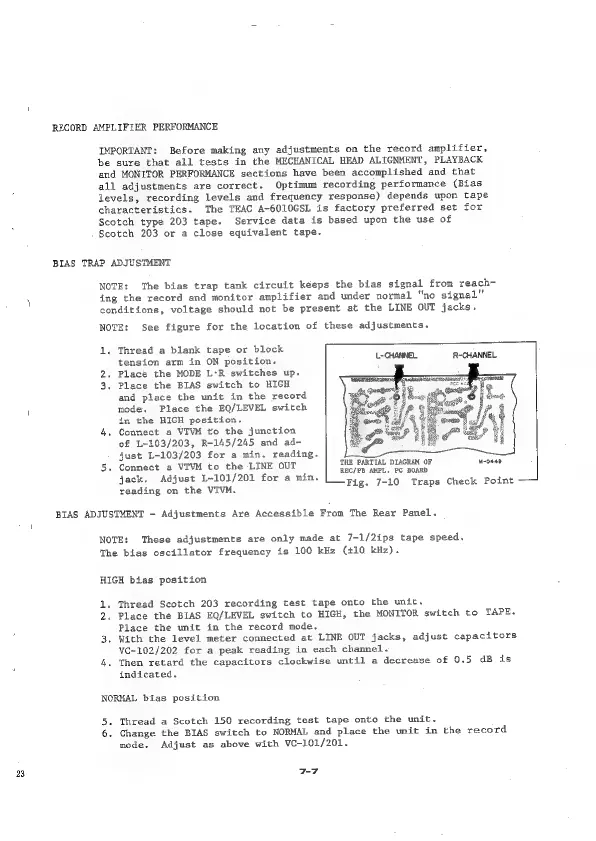
NOTE:
See
figure
for the
location
of
these
adjustments.
1.
2.
3.
Thread
a
blank
tape
or
block
tension
arm
in
ON
position.
Place
the
MODE
L:R
switches
up.
Place
the
BIAS
switch
to
HIGH
and
place
the
unit
in
the
record
mode.
Place
the
EQ/LEVEL
switch
in
the
HIGH
position.
Connect
a
VIVM
to
the
junction
of
L-103/203,
R-145/245
and ad-
just
L-103/203
for
a
min.
reading.
Connect
a
VIVM
to
the
LINE
OUT
jack.
Adjust
L-101/201
for
a
min.
reading
on
the
VIVM.
L-CHANNEL
R-CHANNEL
THE
PARTIAL
DIAGRAM
OF
REC/PB
AMPL.
PC
BOARD
Fig.
7-10
Traps
Check
Point
M0849
BIAS
ADJUSTMENT
-
Adjustments
Are
Accessible
From
The
Rear
Panel.
NOTE:
These
adjustments
are
only
made
at
7-1/2ips
tape
speed.
The
bias
oscillator
frequency
is
100
kHz
(+10
kHz).
HIGH
bias
position
1.
2
3.
4.
Thread
Scotch
203
recording
test
tape
onto
the
unit.
.
Place
the
BIAS
EQ/LEVEL
switch
to
HIGH,
the
MONITOR
switch
to
TAPE.
Place
the
unit
in
the
record
mode.
With
the
level
meter
connected
at
LINE
OUT
jacks,
adjust
capacitors
VC-102/202
for
a
peak
reading
in
each
channel.
Then
retard
the
capacitors
clockwise
until
a
decrease
of
0.5
dB
is
indicated.
NORMAL
bias
position
5.
6.
Thread
a
Scotch
150
recording
test
tape
onto
the
unit.
Change
the
BIAS
switch
to
NORMAL
and
place
the
unit
in
the
record
mode,
Adjust
as
above
with
VC-101/201.
7-7

Related product manuals