16
Searching will start.
< When the programme that you have selected is found,
searching will stop and the programme type will be displayed.
< If the same programme type is not found during PTY Search,
it will stop at the beginning frequency.
< If you want to stop searching, press the RDS MODE button.
RDS (PTY Search)
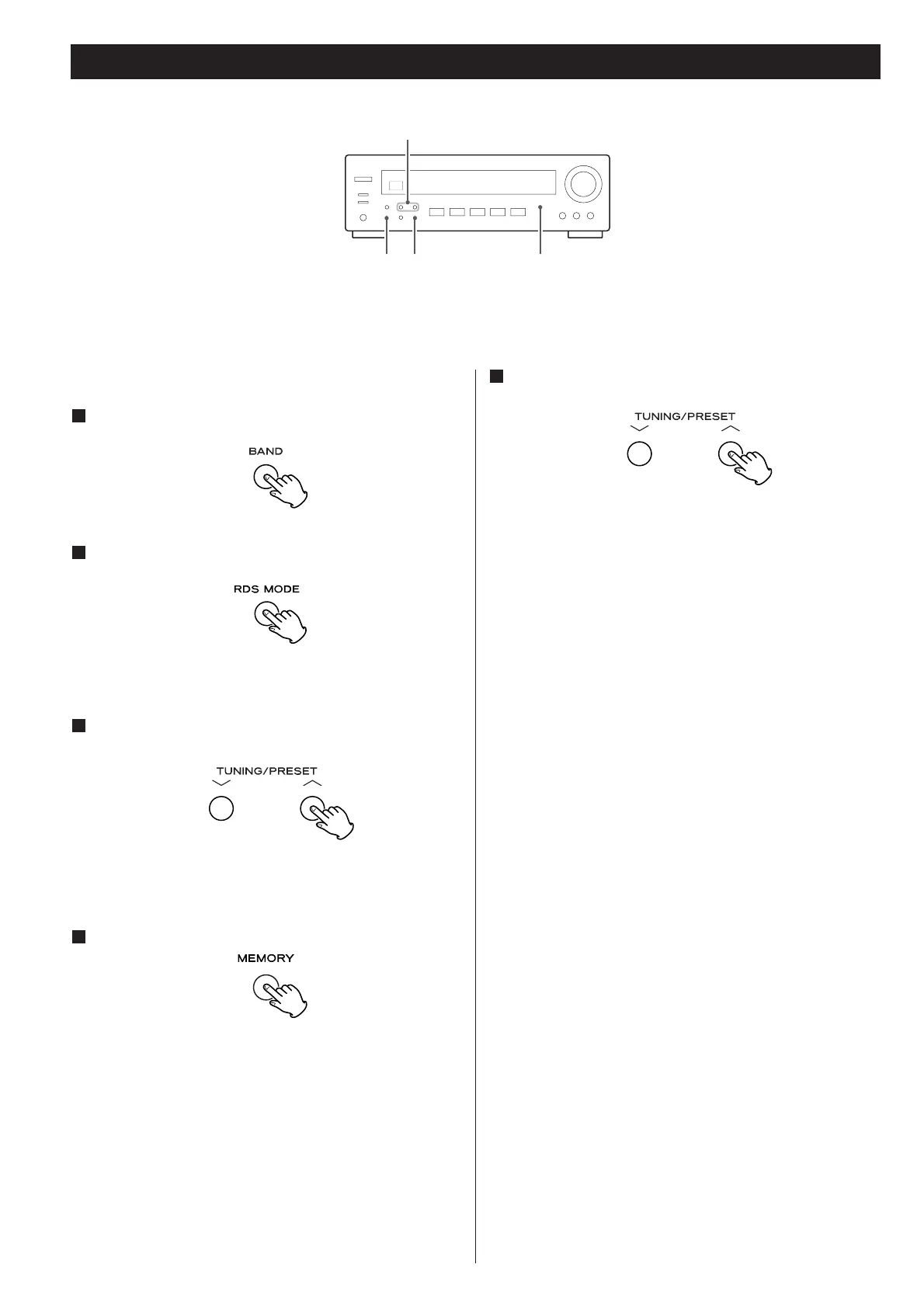
A station can be searched by this function.
Select FM by pressing the BAND button.
1
Press the RDS MODE button for more than 2 seconds.
2
“SEARCH” blinks on the display.
Select the desired PTY programme using the
TUNING/PRESET buttons.
3
You can select from 31 kinds (see page 15).
The programme blinks in the display.
Press the MEMORY button.
4
Blinking of the programme stops.
Press the TUNING/PRESET button.
5



 To Next Page