13
ENGLISH
Radio Reception
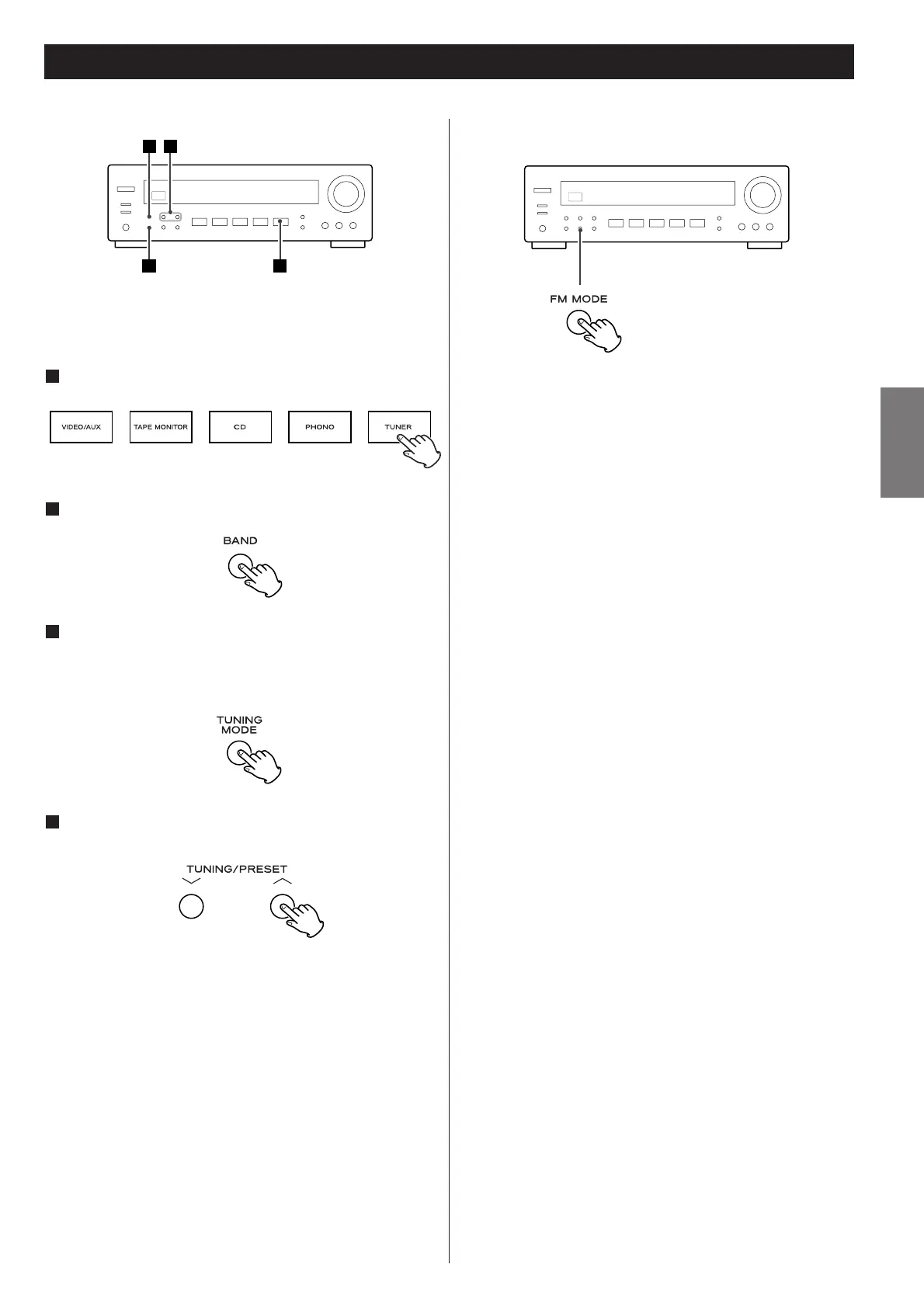
Hold down the TUNING/PRESET button for 0.5 to 2 seconds.
When a station is found, the tuning process will stop
automatically.
If you want to stop the tuning process, press the
TUNING/PRESET button.
Selecting stations which cannot be tuned automatically
(manual selection)
When the TUNING/PRESET button is pressed momentarily (0.5
second or less), the frequency changes by a fixed step.
Press the TUNING button repeatedly until the station you
want to listen to is found.
< “TUNED” is displayed when a broadcast is correctly tuned in.
Pressing this button alternates between Stereo mode and Mono
mode.
Stereo
FM stereo broadcasts are received in stereo.
The “STEREO” indicator lights on the display when an FM
stereo broadcast is tuned in.
<
If the sound is distorted and the “STEREO” indicator light
flashes, the signal is not strong enough for good stereo
reception. In this case, change to MONO mode.
Mono
To compensate for weak FM stereo reception, select this
mode. Reception will now be forced monaural, reducing
unwanted noise.
Press the TUNER button.
1
Select AM or FM by pressing the BAND button.
2
If “CH” indicator is lit, press the TUNING MODE button
to select the manual tuning mode.
The “CH” indicator disappears from the display.
This button is used to change the tuning mode.
3
Select the station you want to listen to (auto selection).
4
FM MODE Button



 To Next Page